FAYBEL is a unique artist in many ways – from her subject matter, to her style, to the fact that she’s a digital artist showing work in gallery exhibitions – but even more unique is the way she creates her work. Because of a major spinal injury a few years ago, she now creates her work in the supine position in bed, with the tablet against her chest! We wanted to speak with her about her background, her inspiration, the unique way she creates her work, what she has coming up in the future, and more. Note: the interview below has been edited for length and clarity.
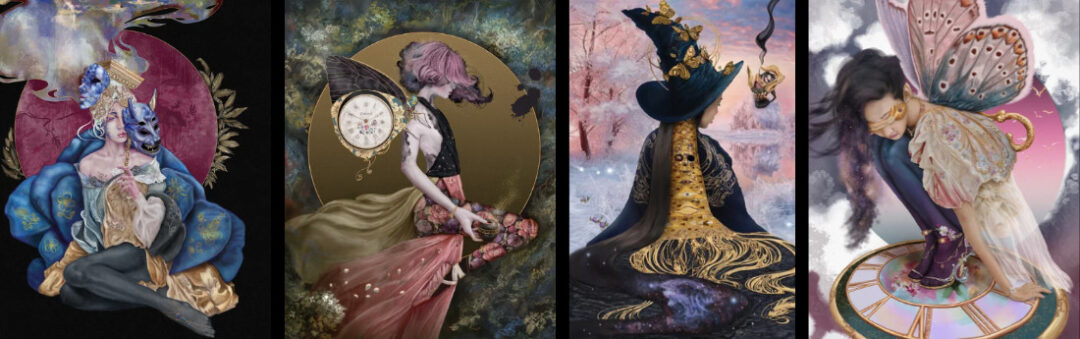
Many of your paintings have a fairytale quality and feel rich with story. How do you approach storytelling and narrative in your work?
I am a voracious listener of romantasy audiobooks, a genre with delicious blend between dashing romance and high stakes fantasy. My grandmother, a life-long impassioned reader herself, would read me fairytale classics as a child from Peter Pan to The Water Babies by Charles Kingsley. I remember falling in love with Jessie Willcox Smith’s dreamy illustrations within our copy of both tales, as well as watching my grandmother paint in her basement art studio. As a child, I was a teller of dramatic tales, improvising stories of action and fantasy in a game I created for the neighborhood children called “Adventure,” which we played every day after primary school. This penchant for storytelling – past and present, literary and visual – weaves its way into each piece I create.
My artworks all tell two twin tales: one of my life in the moment, and a second with scenes and characters from fiction: either my fairytale universe Timbretock or a classic poem, mythology or fairytale blend. While I often begin each piece with a strong narrative concept, I allow my paintings’ stories to develop throughout the creation process naturally.
What kinds of stories or themes are you most drawn to in your art?
I studied Egyptology for a brief time at the University of Toronto, and have always been entranced by aspects of Norse mythology and media, films of gothic horror and monster romance masterfully accomplished by Guillermo del Toro, stop motion narratives from the mind of Tim Burton, classic poetry the likes of Edgar Allan Poe, and fairytales from across cultures and time. Stories I enjoy most are ones of truth, rebirth and perseverance through adversity. For example: Vasailisa’s persistence against the trials of Baba Yaga with the help of a magical doll, in the Russian Cinderella fairytale, Vasilisa the Beautiful, and the Little Mermaid’s resolution to remain on land for a dream of the future, in spite of each step feeling as if on sharp knives, in Hans Christian Anderson’s original fairytale classic. These are the brand of story that siphon my thoughts and senses, the ones that meld into the identity of my artworks and become a mirror to my own.
How did your journey as an artist begin?
My journey as an artist began in three parts: the first with my grandmother in her basement studio – the wonder I experienced watching her paint masterfully in acrylics, while I played pretend with paints of my own; the second, during a high school trip to western Europe, when I captured a derelict watermill with my family’s old Pentax point-and-shoot camera – which encouraged me to study photography for a time at Niagara College; and the third after over a decade of chronic and debilitating illness. After years of struggle with my health, I did not wish for the final stretch of my life to fizzle without being like my grandmother: a painter, but of my own voice and kind. I became obsessive, drawing digitally over 10 hours a day, migrating from mild paint-overs of video-game stills taken with in-game photo-modes to original portraiture works accomplished in Adobe Photoshop.
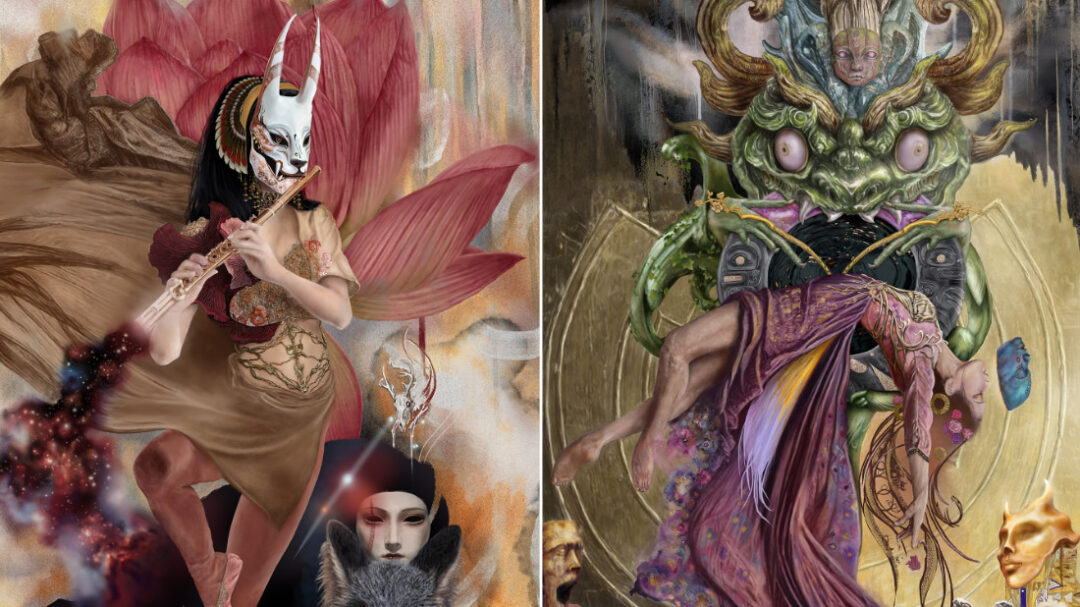
What first drew you to digital art, and what was your experience like transitioning from traditional to digital painting?
One of my major inspirations was seeing multi-disciplinary artist Bobby Chiu’s booth in Artist Alley at Fan Expo Toronto, brimming with digitally-created fantastical creatures. I couldn’t afford to buy a print of his, but I collected Imaginism’s business cards, each with a different creature artwork design.
Moving to digital painting from traditional graphite work was overwhelming. When I explored the possibilities of digital creation, it felt like there were far too many options. I studied masters of the medium and worked tirelessly to refine my technique. Self-reflection, time, and compromise with my perfectionistic tendencies – learning to create within my own self-governed technical limits – these were pivotal steps on my journey of style discovery and digital brush mastery.
You’ve built a career as a gallery artist working in the digital medium. What practical advice would you share with artists who hope to do the same?
My first piece of advice: do not delve into gallery work on its own; be sure to have multiple streams of income in place! Being accepted as a digital artist into commercial galleries world-wide is exceedingly rare. I would advise artists to not be discouraged by rejection, to always be sure to read each gallery’s unique rules and guidelines for submission, and to have a professionally curated website or platform profile with their key digital artworks for ease of accessibility by curatorial staff. Many will outright reject digital art and photography, but this can change. You can find an in-depth recount of my personal gallery process and argument for a digital positive outlook in fine art at Hyperlux Magazine.
Many exhibitions I have participated in have been online, and/or with myself acting as the gallery’s first represented digital artist: online exhibition is a highly viable option for artists across mediums, especially with online shows cutting accrued costs of transportation and with some venues like Poetic Tiger Gallery prioritizing higher percentages of earnings for artists from their displayed works.
Participating in select artist directories with regular online exhibition opportunities, like the Women United Artist Directory, can also help build community connections in the gallery-verse. I also recommend seeking out opportunities in one’s local area, including those beyond traditional gallery display: my work will be in the main space of Mahtay Café & Lounge, for example, a venue with high traffic and long opening hours, in my home city this December.
I’m also working on an initiative called Digital Art Exhibitions (DAE) that brings professional digital painters together to help establish protocols for gallery practice in the digital medium and to lobby for a first of its kind exhibition of digital painters.
Tell us a bit about your workspace. What’s the story behind your setup, and which tools or techniques do you rely on most?
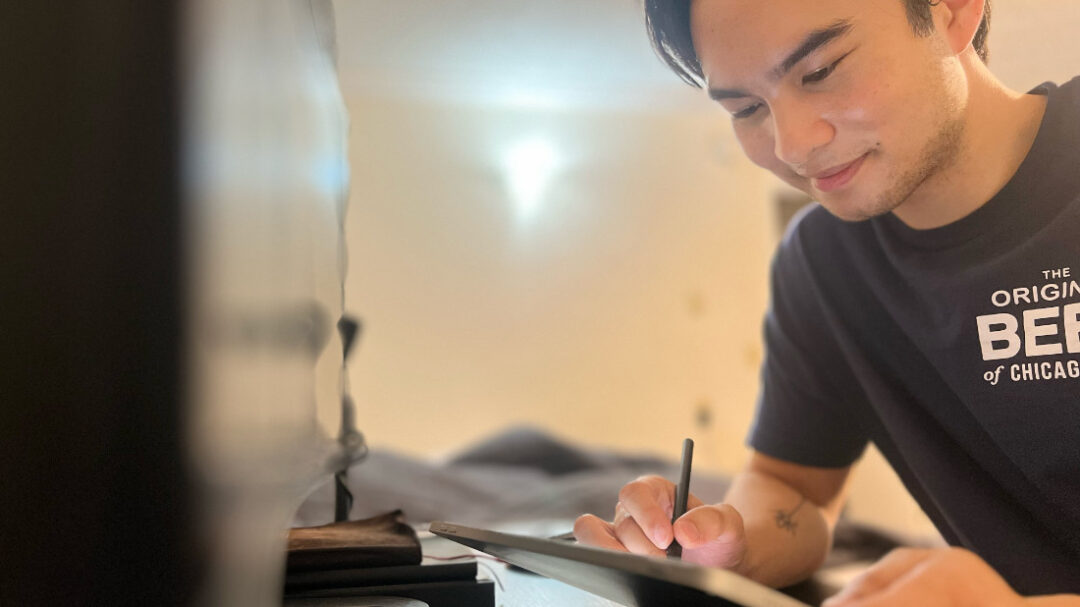
At age 29, I fractured over 10 of my spinal vertebrae due to stage 4 osteoporosis. My bone structure is highly atypical, which can cause a significant degree of chronic pain. I paint in the supine position, relying on a 4K, matte, color-accurate suspended monitor attached by metal arm to my bedframe: this functions as my virtual canvas display. Before and after the injury, the Wacom Intuos Pro tablet has followed me through my digital painting journey. While in the supine position, below my suspended display, I rest the Intuos tablet on my breastbone: this means that my works are painted entirely upside-down and as if on my person.
To maintain focus, I listen to an array of romantasy and high fantasy audiobooks, visualizing each novel as if playing on a dual screen: one the novel in my mind’s eye, and the second of my digital painting practice in reality. I tend to be restrictive with digital brush selection, using a streamlined collection from GrutBrushes, in tandem with their Bellstone Art Surface, while motioning towards the basic round brush in nearly all adaptable instances, electing to create most complex textures with small, patterned hand movements below the wrist.
You recently upgraded to the latest Wacom Intuos Pro. How has it been working with the new tablet, and what features stand out to you the most?
My experience with the new Intuos Pro tablet has been utterly sublime. The tablet’s lighter weight has been a boon for handling and far easier to balance on my bone deformity, reducing the pain in my misshapen sternum and ribcage. I could imagine this upgraded edition of the Intuos being a highly effective tablet for artists in motion. It is perfect for travel to ComicCon events, or even local hubs and cafés – a dream of mine for one day – while still maintaining, if not superseding the rapid responsiveness of the Intuos Pro M 2017. The Pro Pen 3 has an exquisite balance, as well; far sturdier than the Pro Pen 2, with a weightier and more comfortable grip.
The 2025 model Intuos Pro has an easily adjustable interface and accompanying utility software, with ExpressKeys and Dials in a more accessible and intuitive position than its predecessor. I especially love the fluidity of its dials for canvas rotation, brush size, and layer scroll, the later easily toggled to by assigned ExpressKey. Whether painting highly condensed textures with brisk motion or smooth, layered blending, Wacom’s upgraded model is a feat of mechanical artistry perfect for professionals and keenly aspiring digital painters.
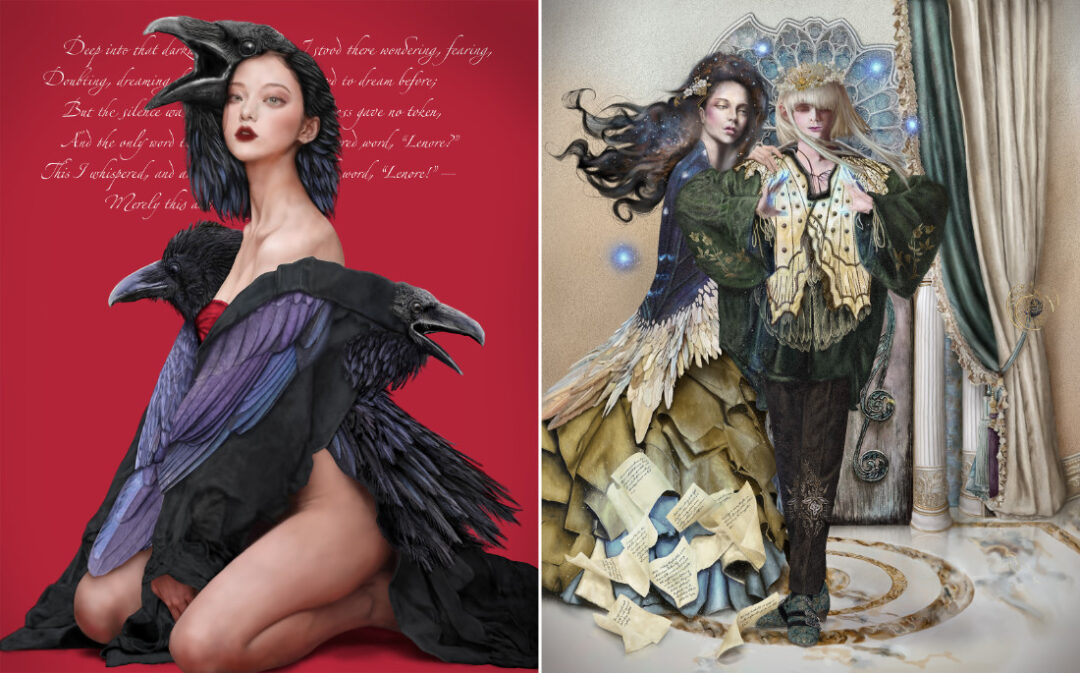
What’s the story or inspiration behind your latest painting?
The cultural catalyst for my imaginative realism piece The Lost Lenore is a unique blend of poetry through time: classic gothic and Norse myth and literature underpinned by symbology of ravens. Ravens are an avian presence entwined with the Valkyries, divine maidens whose judgement of the fallen and entanglement with Odin, god of poets and chief of the Æsir, is recounted in Norse myth. Reference to the Valkyries is dappled through Prose Edda, a 13th century mythological text, yet, the maidens’ divine role is perhaps more extensively articulated in Song of Dorrud (Darraðarljod). This mode of the Valkyries is interwoven with Edgar Allan Poe’s classic 1845 gothic poem The Raven, through the narrator’s pinned for lost love, “Lenore.” In The Lost Lenore she is illustrated as a variant Valkyrie, an anthropomorphic representation of the tempestuous raven that visits him.
Looking ahead, what projects are you most excited to explore next?
This month my work, including a custom-framed, wall-ready giclée print of The Lost Lenore, is in show at the main space of Mahtay Café & Lounge, a prime social nucleus in my home city of St. Catharines. A vast collection of my most popular fine art prints, premium art cards, and originals will also be at The Hub & Gallery in Ridgeway, Ontario, tangentially onsite for Fort Erie Arts Council’s Christmas on the Ridge event from December 5th to 6th. My family and I have also been preparing for future Comic Con events, paired with the grand opening in Spring 2026 of an online store with smaller ticket items, underlining our goal for broader international reach.
I have several thrilling collaborations ahead, as well: The first with a highly renowned and much-adored digital portrait painter; our project will potentially pair with an in-depth interview piece at Hyperlux Magazine. Digital Artist Exhibitions is bolstering its online Artist Directory for an official debut on faybelarts.com in early 2026. With 365 Art + Magazine in Japan, I have been selected to work as lead cover artist and guest chief editor of an upcoming specialty issue, Art of the Phoenix: Path to the Inner Self. Submissions for this volume will open to artists and designers of all mediums (excluding generative AI), after my spine is further stabilized with intervention(s) surgically in 2026.
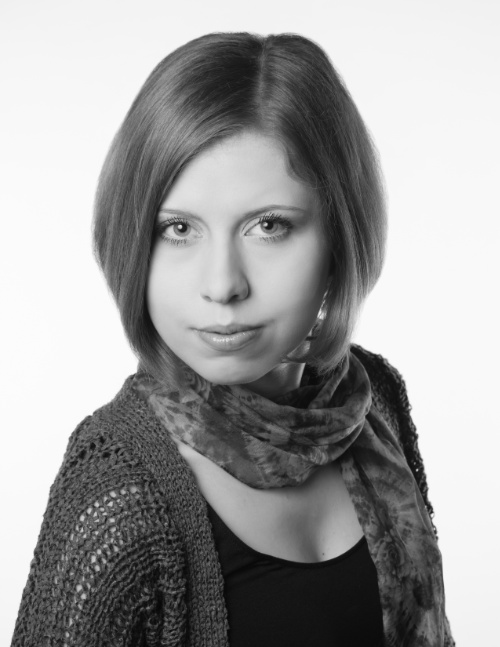
About the artist
Elaine (Ellie) Nesbitt, known online as FAYBEL, is a self-taught, figurative, fantastical, portrait painter, gallery, and cover artist working in the digital medium. She currently resides in the Great Lakes lowlands of Ontario, Canada.
Learn more about her and her work at her website, or follow her work on Instagram, Facebook, or Threads.

We caught up with Ethan to talk Comic-Con memories, creative routines, game dev dreams, and what’s in his go-to art pack. Spoiler: It’s not complete without a Wacom. Note: the following interview has been edited for length and clarity.
You’ve had such a unique career trajectory — from fan art to working with industry giants like Marvel and DC before you even turned 21. When did you realize this could actually be your career, not just a passion?
I find that I’m constantly having that realization! I feel very lucky to be able to work with characters and licenses that I grew up loving. Whenever a new opportunity comes up, whether it be a contract role or internship, I feel very lucky and pinch myself a bit to make sure it’s real.
Who or what inspired your initial love for art? Did you always gravitate toward comics and entertainment?
My love for art definitely came from my family. My dad was an avid reader as a kid, so the second I started showing interest in comics, he knew where to look! As a family, we would visit local comic conventions – WonderCon in San Francisco, and eventually Comic-Con in San Diego – and getting to be around so many of my favorite artists was genuinely mind-blowing. I absolutely gravitated to comics, movies, and video games early on, and none of that has changed. I’d say 90% of my favorite memories have to do with me playing some video game or meeting some artist hero who inspired my work!
You’ve been exhibiting at Comic-Cons for over a decade now. What keeps bringing you back to Artists’ Alley?
Artists’ Alley has genuinely been a second home to me for more than half my life. I spend almost all of my shows behind the table simply because of how much fun I get to have meeting new people and making new friends behind my booth. There are some people who frequent shows like Comic-Con who have literally seen me grow up from age 11 to 21. I can name at least 10 people who I’ve known since my first show at Big Wow! Comicfest. I was 8 years old then, and to see them grow up has genuinely meant the world. I feel very grateful to the countless volunteers and staff members that spend their weeks, months, even years preparing for Comic-Con so that Artists’ Alley can be as wonderful as it is. The con family is some of the strongest around. I owe so much to them.
What was a highlight of this year’s San Diego Comic-Con?
I took one break from my table this year at Comic-Con, because a friend of mine was able to introduce me to Neil Druckmann – studio head of Naughty Dog! – after his Dark Horse Comics signing! He was genuinely the nicest person ever and so giving with his time. We got to chat for about 10 minutes and I got to give him a Post-It drawing I did for him! I was starstruck the rest of the weekend.
How has your creative process evolved from the early days to now?
My creative process is very, very similar to how I started out! I spend a lot of time consuming art before or at the same time as I’m starting a project! I recently got to work on a new property that I grew up loving, but had never done professional work on. I spent a few days reading some of my favorites from the IP, as well as re-watching some movies I hadn’t seen in a long time. I spend a lot of this time also building mood boards or write-ups to help align myself (or other people I’m working with) on some vision.
After that ideation phase, there’s a LOT of revision, usually getting some kind of feedback from peers or giving it some space, returning to the project after a few hours, sometimes even days! I think the biggest thing I’m learning is how to pace myself at the beginning of a project before turning the first idea into the final.
What new tools, software, or techniques have you incorporated into your workflow?
With my recent game projects, I’ve been spending a lot of time in project management software and Unreal Engine. I’m working with some really talented creative teams, who’ve been incredibly patient in teaching me the basics of game engines, and I’m loving every minute of it! In the same way, I had almost no experience with any task-tracking or production processes before this past year, but have been getting some really great help from my friends and mentors for incorporating these tools into my daily creative life.
You’ve been using Wacom products for a long time. Can you talk about how your tools have changed and what role Wacom plays in your daily workflow today?
If you ever see me traveling, I guarantee you I have some Wacom product on me. My Cintiq is my baby, and stays at home! It’s continued to serve me well after at least a decade. My Wacom One is usually my traveling pad, though it may now be dethroned with my new MovinkPad 11!
Every Wacom product has been easy to use and even easier to configure and personalize!.All of my tablet pens have “pan/scroll” mapped to the top button and “option” mapped to the lower buttons, and it’s so nice to fall back to muscle memory when trying to quickly throw my ideas onto the page.
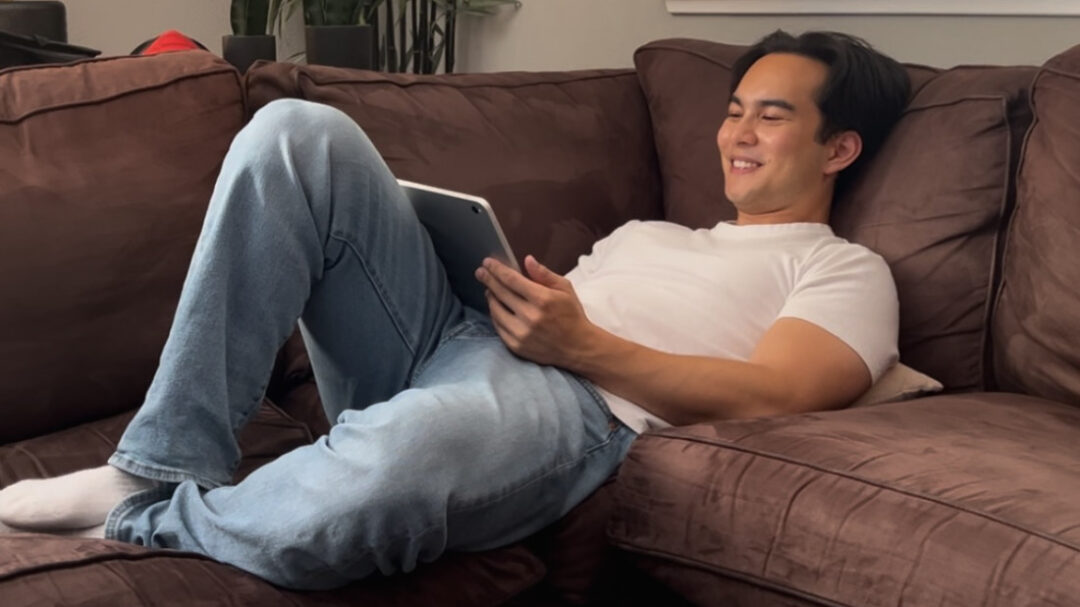
What was your overall take on the new Wacom MovinkPad 11?
I absolutely loved the new Wacom MovinkPad 11! I’ve never really been a tablet computer user, but Wacom made it very, very easy to hop right in and get to work. I was in the middle of moving back to LA when I got my hands on the device, and it was such a blessing to be able to jot down creative ideas the second they popped into my head. I spent the next weekend with my girlfriend’s family in San Diego, and was able to get so much done in so little time because of how user-friendly the MovinkPad is.
What do you carry with you when you have to work on-the-go?
On the go, I always make sure I have some kind of water bottle, a pocket notebook, and my laptop! I try to have some type of literature on me, but it doesn’t always happen. I was abroad in the UK for about six months, and had a ton of free time to explore, so I ended up backpacking to a handful of countries with the exact same to-go pack. Now, I can add my MovinkPad to the list, and replace either or both of my devices!
What is your project Hero Boy about and why are you excited about it?
“HERO BOY” is the first ever video game I’m writing, directing, and producing! For the last four months, I’ve been working with a truly wonderful team of friends and mentors to develop this single-player, narrative-driven game. The adventure stars two versions of the aptly named Hero Boy, split across time, stuck between their shared dreams and nightmares. This project is incredibly personal to me, and I’ve been so grateful to work with such an amazing team on this love letter to our younger selves. I can’t wait to share more soon!
About the artist
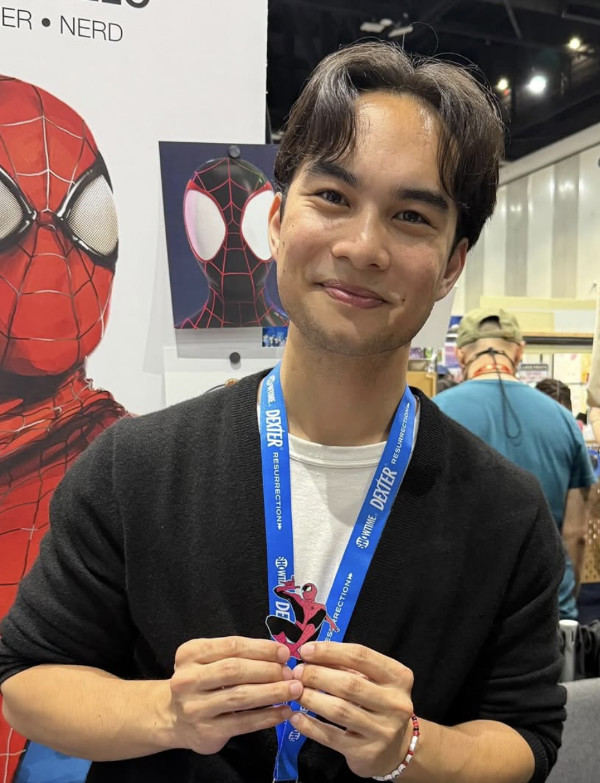
Ethan is a creative producer and storyteller whose journey began at eight years old, tabling at conventions and sharing his superhero art using Wacom tools. Now 21, he has been exhibiting his work at San Diego Comic-Con for 11 consecutive years. Ethan has since evolved into a producer, freelancing for major entertainment IPs while deepening his passion for independent storytelling through games. Currently, he is writing and directing his first title “HERO BOY” and producing “The Guardian” in collaboration with USC Games, bringing bold visual storytelling and thoughtful production leadership to the world of independent gaming.
Follow him on Instagram.
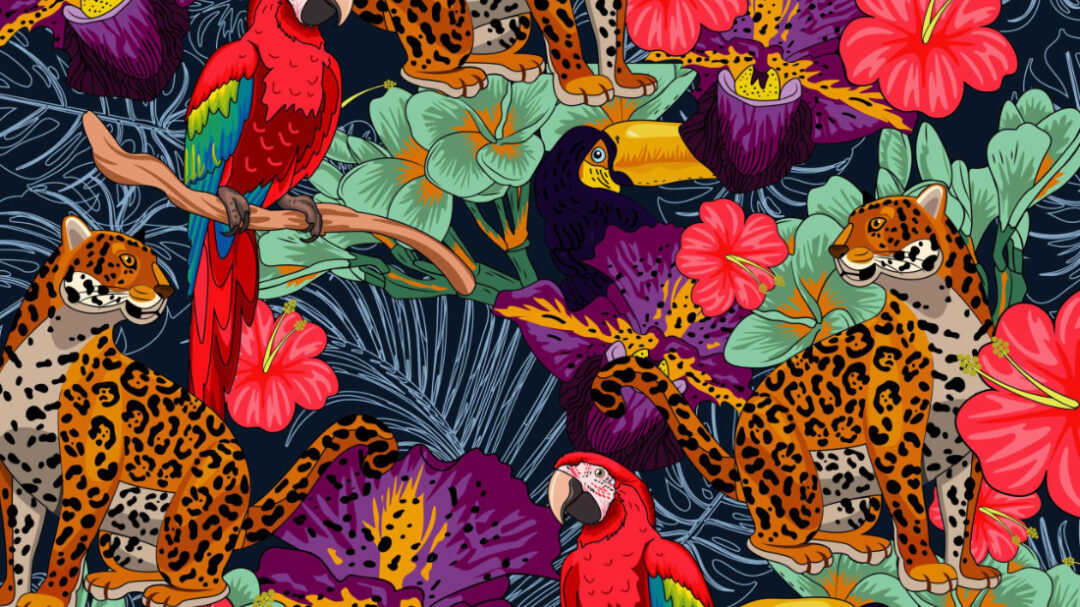
“My work always was inspired by Colombian biodiversity and culture, the direct contact with nature, exotic fruits, flowers and animals,” she says. “ I create illustrations full of details and bright colors formed by solid vectors, trying to bring all these handling colors, emotions, textures, and the stunning natural beauty details to my work … [I want] to strengthen environmental awareness and a sense of pride for our natural heritage.”
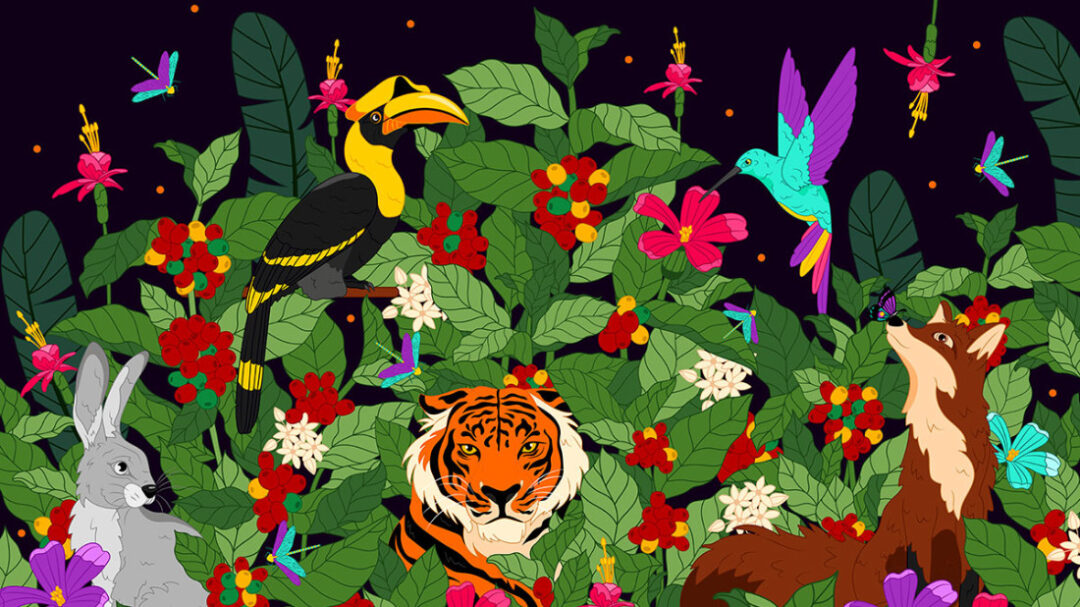
We wanted to see what she’d do with a Wacom Movink in her hands, and she created a few Spanish-language videos for us about how to work smart, how she creates merch, and how she uses references. We also interviewed her (in English!) about her background, process, and what she thought about the Wacom Movink pen display. The videos, that interview, and examples of her work are below. Note: the interview below has been lightly edited for length and clarity.
How did you discover your passion for art? Were you a creative kid?
I do believe that my creativity was trained from a young age. My mother was a primary school teacher, and taught me many art techniques, sparking my curiosity to explore different forms of expression. She kept me busy with little creative tasks like DIY “art attacks” and puzzles!
You got a degree in design. What was your experience like? Would you recommend college to young creatives who are thinking about a creative career, or these days can artists be self-taught?
I’m a complete nerd, and I love studying! I do believe that college is a place of expansion and openness to the possibilities that exist in the real world of creativity, far from the ideal of “living for the love of art.” In my case, I’ve greatly valued the support, professional seriousness, and knowledge I’ve received from past teachers. I was always aware that I was the one who enjoyed acquiring that knowledge and saw creative potential in that information.
On the other hand, I do believe that we should take charge of our learning and expertise, nurturing our skills and interests in a self-taught way, with discipline. I think that’s what makes the difference between a very good artist at what they do; they have surely dedicated a lot of time to studying and practicing their craft. Some knowledge is not acquired in college, but through experience.
Your style is very distinct, with bright colors, smooth shapes, and featuring lots of animals. How did your style develop? Was it always like this, or did it take a while for you to figure out your style? What inspires you and your style?
Yes, I think my vector aesthetic has always been similar: simple, organic lines and solid colors. I started illustrating in Corel Draw using only geometric shapes. My work is inspired by nature, and some illustrations are influenced by my personality and personal experiences.
What is your relationship to Wacom products? What did you think of the Wacom Movink in particular?
I got a Wacom Intuos from college with one of my first freelance payments as a student. Many years later, when I started setting up my studio and working on my own, for one of my first international projects, I bought a Wacom One. It definitely helped me take my work to the next level and greatly improved my productivity.
This year, I received the Wacom Movink as a reward for my discipline and dedication to illustration over the past few years! It was like receiving a gift from Santa at Christmas. It’s very lightweight. Its touchscreen has helped me find practical ways to improve my performance and shortcuts while I’m illustrating. The colors are definitely what I like most, as it provides great visual consistency with other monitors.
You’ve worked in agencies as a full-time designer, and as a freelancer. What do you like about being a freelancer? How did you decide which approach you wanted to take?
Yes, I’ve worked in agencies and companies as a full-time designer. I really enjoyed it and learned a lot, but I started to get better with my personal projects, which I was working on simultaneously while working for other companies and brands.
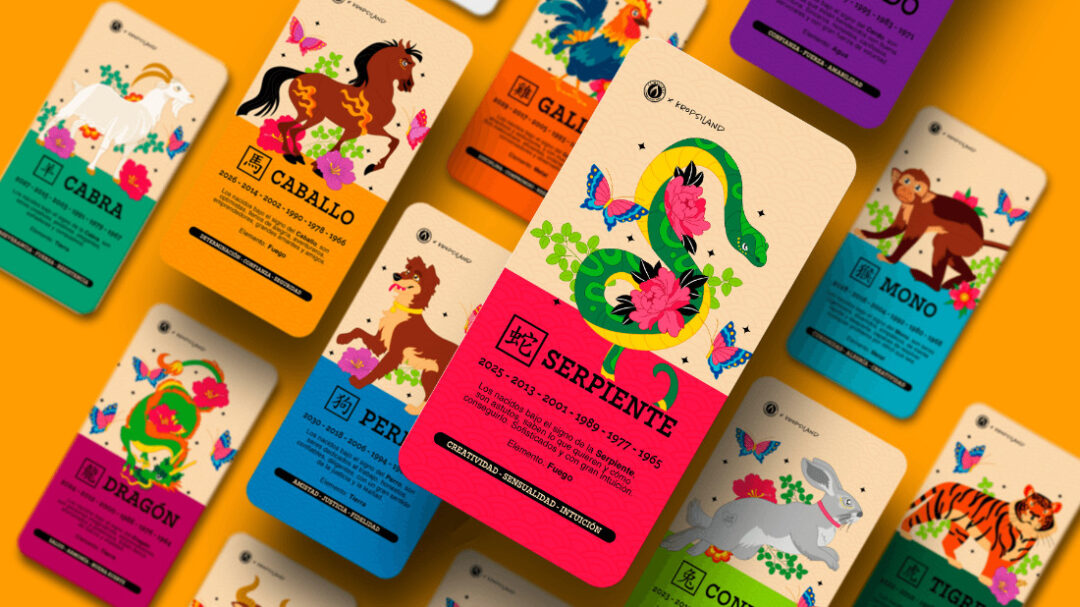
Since college, I’ve been interested in packaging and graphic design for objects. So I focused on finding work in the design and manufacturing of packaging for mass-market products and large retail stores. At one of the agencies where I worked, I started creating proposals that included illustration, and that same year, I decided to participate in competitions and public calls with my personal work. As a freelancer, I’ve also worked with several agencies that contract graphic services on a temporary basis. The most interesting thing about working on your own, is that your creativity is truly diverse and flexible.
You do a lot of different kinds of artistic things. Do you ever feel pressure to “specialize” in one artistic discipline, rather than doing many things?
In fact, I am a specialist; I have a postgraduate degree in Strategic Design and Innovation. But I think this study helped me expand my creative vision more than just “focus” it.
I do believe we should spend more time cultivating one of the skills we’re best at and enjoy the most, but I think the true focus or specialization lies in your own way of doing things. Illustration could be just one part of a design project. Perhaps over time, I’ve found a way and opportunities to take my illustration style into different formats and surfaces, but I feel my skills aren’t limited to just vector art and color. And what I’ve learned about design management has helped me have a broader vision of how I make money, for example, with what I know and enjoy doing.
If a young creative wanted to grow up to have a similar career as you, what advice would you give them?
Definitely by choosing what you enjoy doing! Imagine what your ideal position would be … If you had to do the same task for a long time, what would it be? What job would bring you comfort, satisfaction, and pleasure? That would be my guideline for the path to follow and to start building a professional profile. Then it’s time to study, practice, and practice a lot.
Do you have anything cool coming up that you’d like to share with our readers?
After a long time dedicated only to client projects, I am creating a new collection of illustrated products for my online store! Hoping to be launching at the end of this year.
About the artist
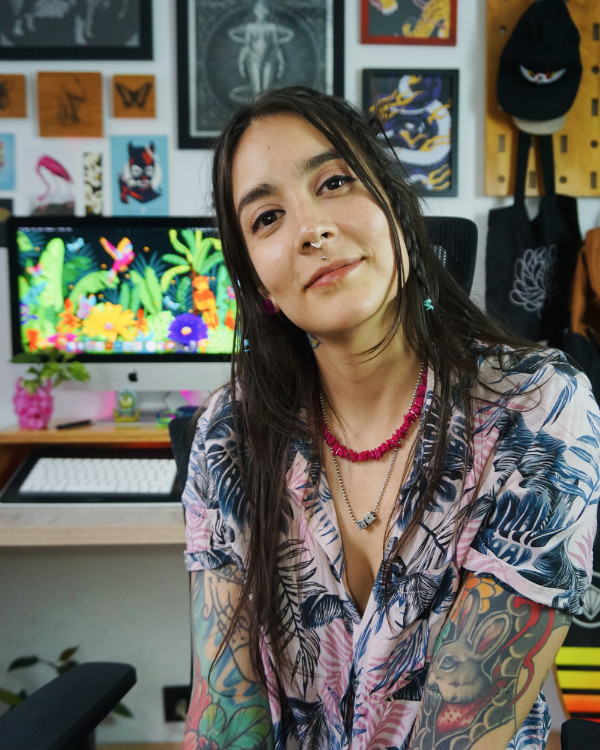
Carolina Peláez is a designer and illustrator from Medellín, Columbia. Her vector illustration work is recognizable by its decorative quality, striking solid colors, and inspiration from nature. Her illustrations are saturated with exotic wildlife. Peláez has experience in textile and graphic design, branding, design researching, and illustration for all kinds of brands. Her work is beautiful on product packaging, in advertisements, and even on clothing. She also has her own line of illustrated products and collaborations with other creatives.
Follow her work on Instagram, Facebook, Behance, or her website, or visit her online store.
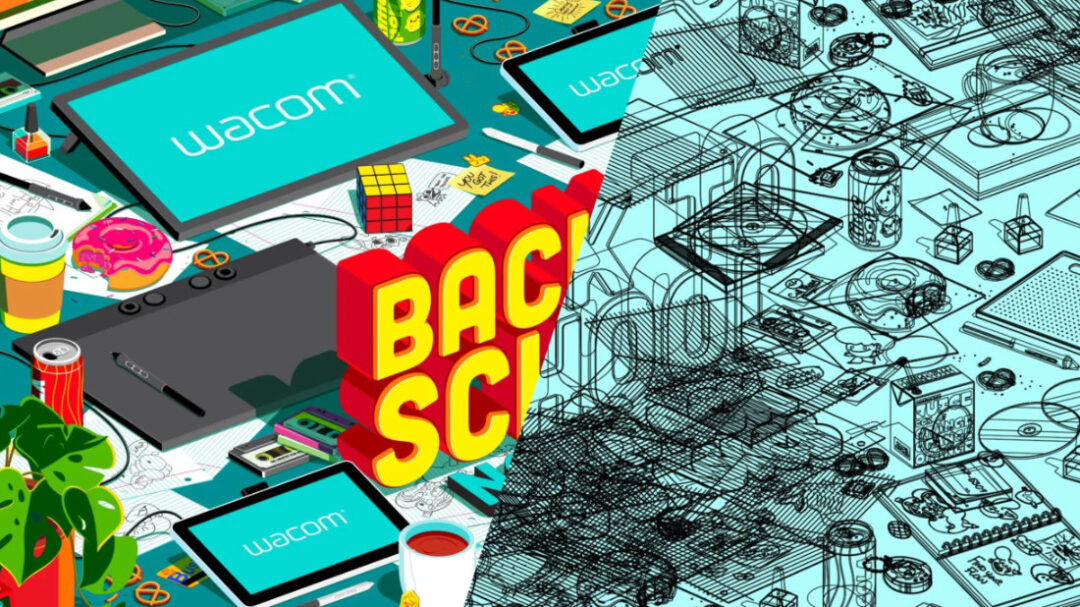
The theme for Wacom’s 2025 Back to School campaign is Back to School, not Back to Basics. Wacom produces a range of products perfect for every artist, from absolute beginners to professional creatives at the top animation, design, illustration, and film studios. Whether you’re a creative youngster or an art school student gearing up for your future creative career, we want to make sure you’ve got the tools to succeed in your education rather than the same old basic school supplies. Tyler created the feature image for the campaign – check it out here.
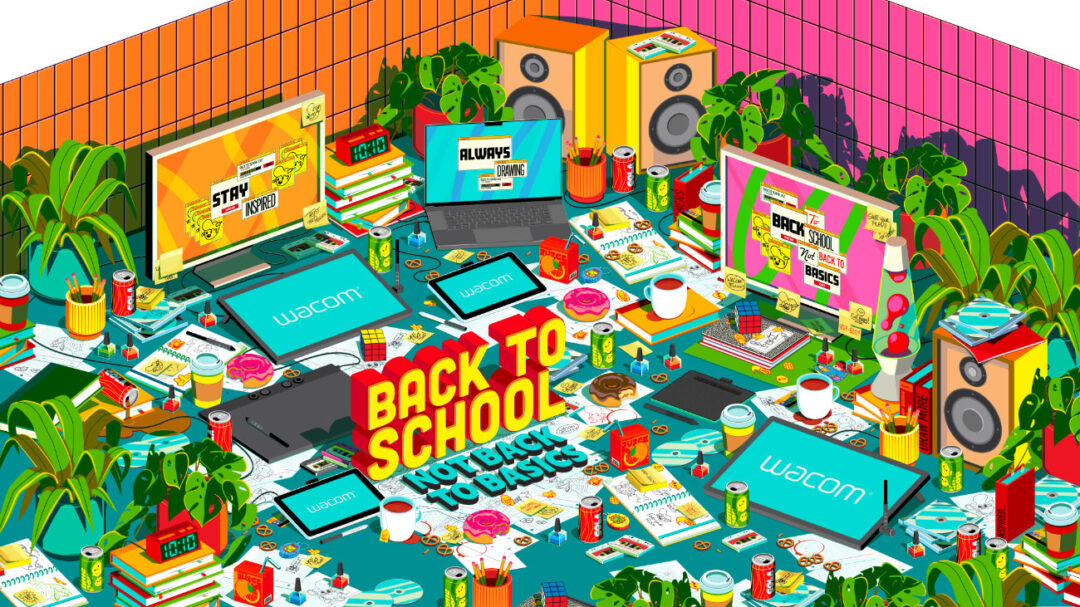
In this interview, Tyler discusses the creation process of the featured artwork, reflects on his journey, breaks down his puzzle-like approach to creativity, and shares how he’s expanding from digital design into tactile, mixed-media exploration.
When you’re creating, does the process feel more like a natural flow of creativity – or more like solving a visual puzzle?
My process feels more like solving a visual puzzle. Every project presents its own challenges, and the excitement comes from figuring it out while staying inspired. The joy of finding solutions keeps the process fun.
Was there a moment or influence that led you to choose visual communication and graphic design as your creative path?
I’ve always gravitated toward art as a child. It brought me so much joy and allowed me to bring my thoughts to life. But the real turning point was when I picked up skateboarding. I was inspired by an industry filled with graphics, styles, and voices – skateboard decks, T-shirts, stickers – all of it. That’s when I knew I wanted to create visual art in a way that spoke to people. I also owe a lot to my cousin Darby, who is the one who told me about pursuing visual communication in college.
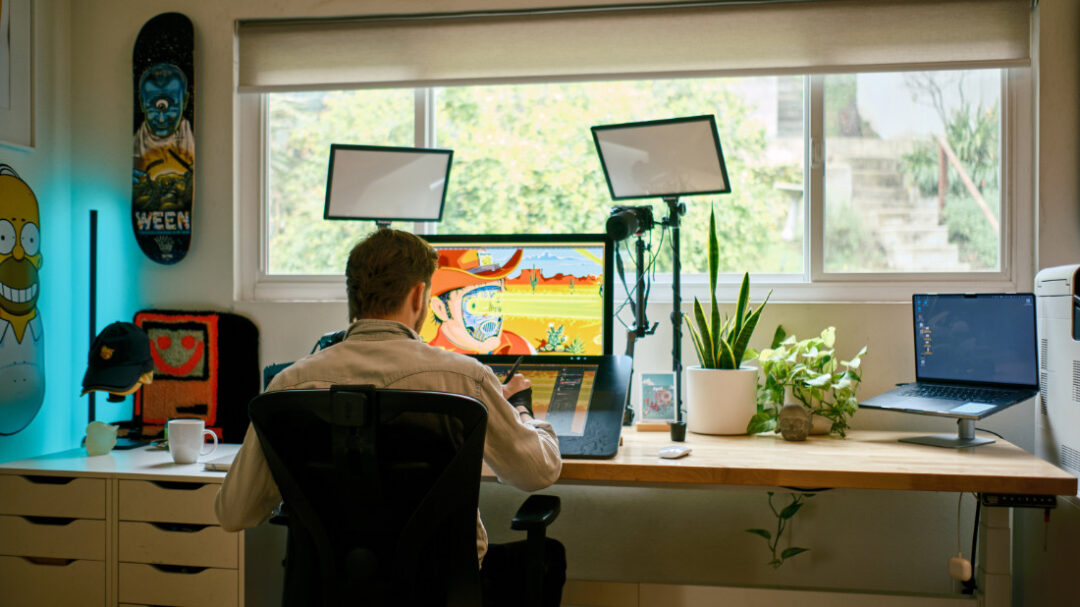
Are there any new creative skills you’re currently exploring or hoping to develop further?
Lately, I’ve been gravitating toward more analog creative outlets. I’m exploring mixed-media techniques, taking my digital artwork into the realm of paintings and collages. I’ve also been experimenting with resin and wood cutouts, creating wall art with a tactile quality that adds a new layer to my creative process.
Do you have a default doodle, something you always end up drawing without thinking? We’d love to see it!
YES! It would have to be my PencilHead character from my Creative Pain brand. I’ve loved watching the evolution of this character since 2016, and it feels like a part of my creative journey. I even managed to hide a few PencilHead characters in my latest Wacom Back to School collab!
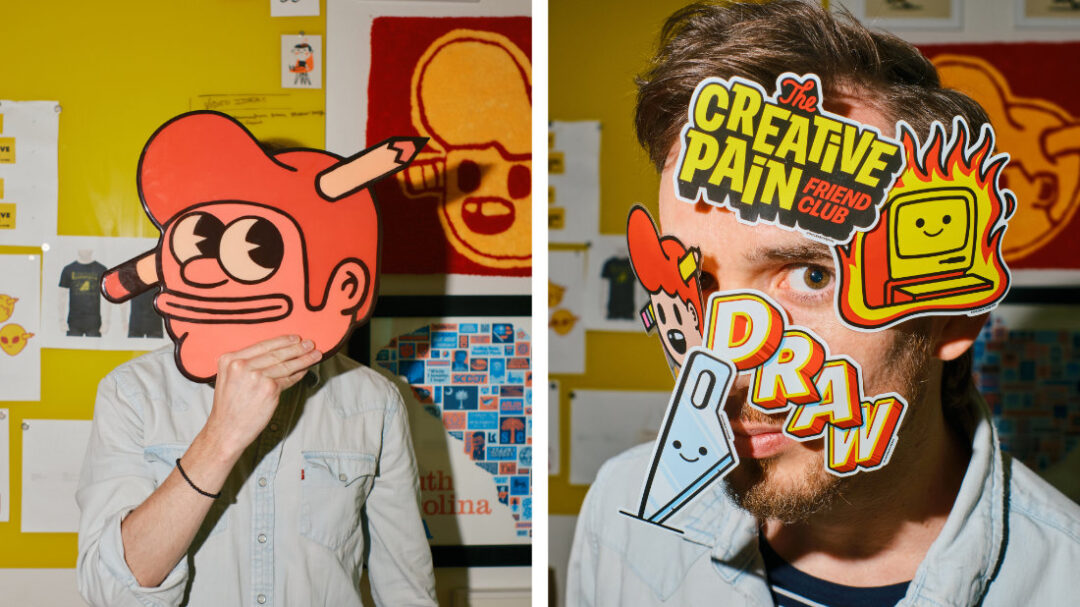
Can you tell us about the Creative Pain, the project and the meaning behind it?
The Creative Pain started as a personal passion project aimed at helping creatives overcome obstacles. It’s about blending industry insights, inspiration, and motivation to guide artists through the challenges they face. Over time, it has evolved into a creative studio and community focused on turning creative struggles into fuel for growth. It’s shaped my journey, led to collaborations, public speaking, and a stronger connection with the creative community.
What makes a creative project exciting or meaningful enough for you to say yes?
It’s a mix of things, but I’m drawn to projects that come with a set of exciting challenges or ones that tap into illustration styles I love or want to explore. I thrive on projects that push me to break boundaries and create something unexpected.
Once you’ve chosen a project, how do you typically begin translating that initial spark into your first sketches or concepts?
I always start with a moodboard. It’s crucial to set the tone and feeling of the concept. I curate inspiration and explore different directions, which helps me understand the vibe I want to bring to life.
Looking back on your own journey, what guidance would you offer to new creatives navigating their first job search?
Always create passion projects or work on something in your spare time. It’s important to constantly develop your craft and stay sharp. Instead of waiting for the dream project to come to you, go out and make it for yourself.
What drew you to vector art, and why has it become your go-to medium?
The scalability of vector art is the key reason it’s my go-to. In the consumer products industry, it’s the best format to deliver, especially when working with products that need to be resized for different applications without losing quality.
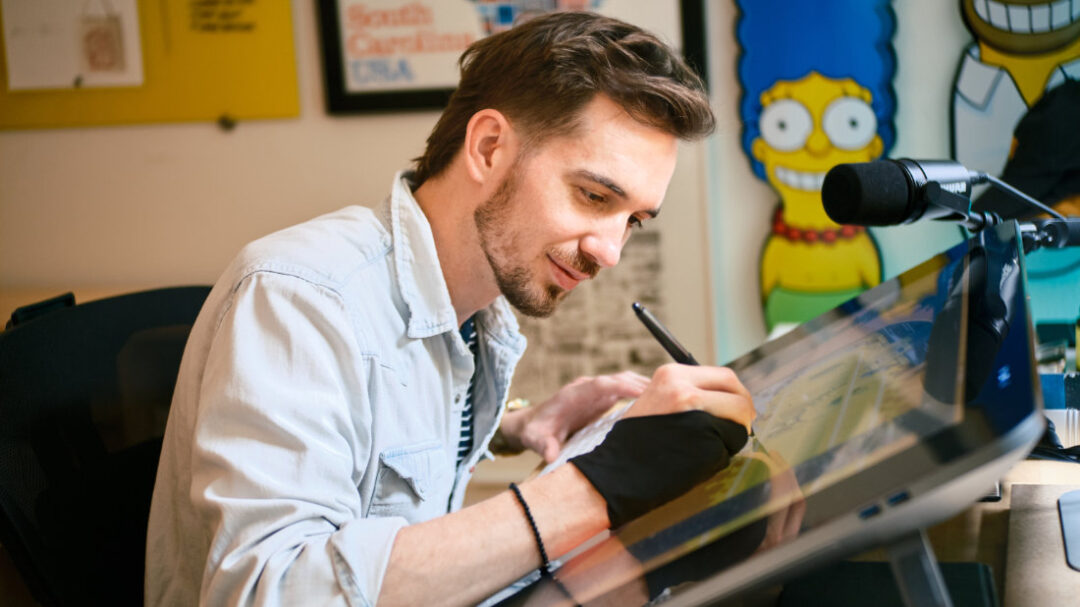
Let’s talk about tablets. Which features or qualities are most important to you when picking a digital canvas?
I need a touch screen and stylus. Once I switched to a Wacom Cintiq tablet, everything about my process upgraded. It made me faster and more intuitive with my illustrations.
From your experience with various tools, what qualities make Wacom tablets stand out for you?
The variety of tablet sizes and products is a big plus. I love having a portable tablet for travel and a larger one for my studio. It’s great to have options that fit different needs.
Can you share which Wacom features you find most valuable in your day-to-day work?
The stylus is incredible, especially since I never have to charge it. It feels like magic – always ready to go, with no interruptions to my workflow.
Lastly, what was your favorite part about developing Wacom’s 2025 Back to School campaign look and feel?
I had the chance to add more detail than I’ve ever created in a single illustration. It was a fun challenge, but also a rewarding experience. I wanted it to be a piece you could stare at for hours and still find something new – hidden details or doodles scattered across papers and computer screens. It was such a fun process, and I hope that sense of discovery comes through when people see it.
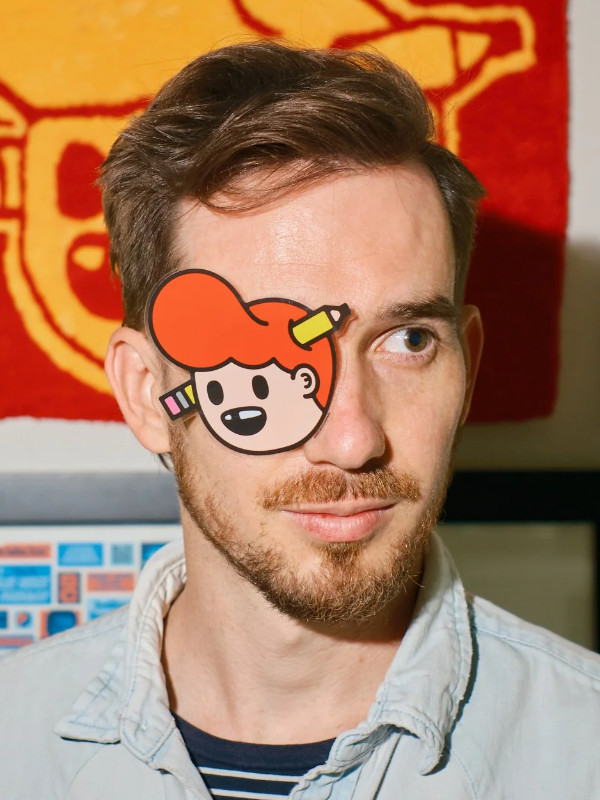
Note: Tyler’s headshot and other images of him in his studio were taken by Morgan Rindengen.
About the artist
Tyler Pate is a Los Angeles–based art director, illustrator, and creative problem solver with over a decade of experience shaping iconic brands and franchises. He’s helped lead and develop Nickelodeon’s global campaigns and consumer product guides. He has also worked with Adobe, Wacom, POSCA, StickerApp, Krispy Kreme, The Black Keys, and even Paul McCartney, blending pop culture with imaginative storytelling and design.
Beyond client work, Tyler leads The Creative Pain – a brand built to inspire artists, foster creative growth, and partner with companies to craft fun, unexpected, and visually original experiences.
Follow his work on Instagram, YouTube, Tik Tok, Facebook, LinkedIn, and X (Formerly Twitter).
“In the Depths” is more than a theme; it’s a call to explore the unknown. From eerie ocean trenches and surreal dreamscapes to emotional depths and ancient mysteries, this competition dares you to go beyond the surface. What secrets will your team uncover when creativity meets collaboration? Even better, this journey into the abyss is powered by Wacom and Magma, creative technology partners working together to empower creatives worldwide.
The Challenge:
Create a collaborative art jam with a team of 2–3 artists, interpreting the theme “In the Depths” however you like, whether it’s emotional, oceanic, fantastical, or something completely unexpected. How will entries be judged? Check out Magma’s blog post for more details here.
Prizes:
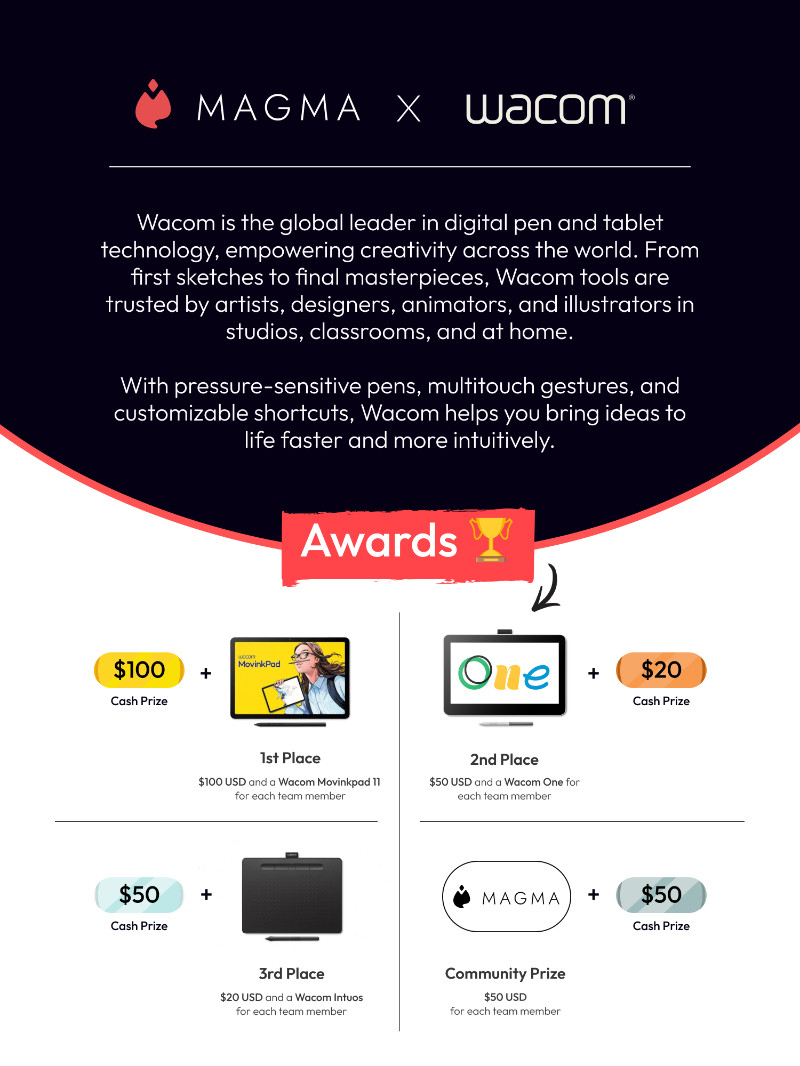
Winners will be selected by a panel of judges and Magma and Wacom’s social media community, with amazing prizes up for grabs:
- 1st Place – $100 USD + a Wacom MovinkPad 11 for each team member
- 2nd Place – $50 USD + a Wacom One
- 3rd Place – $20 USD + a Wacom Intuos
- Community Prize – $50 USD (based on most likes!)
Important Dates:
- Art Jam begins August 12, 2025
- Art Jam ends August 26, 2025
- Winners will be announced August 29, 2025!
How to Enter:
- Form a team of 2–3 artists
- Start a collaborative Art Jam on Magma.com
- Submit your team info + final piece
- Share on Instagram using #MagmaInTheDepths and tag @wacom & @magma_com
This contest is free to enter, and open to anyone 13+ (with guardian approval for minors). Whether you’re a seasoned pro or an up-and-coming creative, this is your chance to shine, collaborate, and maybe even win some Wacom gear.
Important Information:
Entries must be 100% created on Magma – no AI, no third-party apps, and no copyrighted characters.
Ready to dive in? Create your team, start jamming, and show us what lies In the Depths. Good luck!
For full contest rules and details, visit the official information page here!
]]>As an independent writer, director, motion graphics designer, and visual effects artist, Nick is no stranger to the demands of multi-disciplinary creative work. His projects span everything from animation and physics simulations to recreating iconic movie scenes — so he needs tools that can keep up with his ever-evolving workflow.
Instead of a traditional product review, Nick dives into how the Wacom Movink has enhanced his creative process by creating his own product trailer. The short, “A Studio of One,” focuses on Movink’s versatility and seamless integration into his high-demand projects.
As a filmmaker and visual effects enthusiast, Nick uses a wide array of industry-standard software, including Cinema 4D, ZBrush, and Blender. With the Wacom Movink, Nick explores how portability doesn’t just mean convenience, but also opens up new possibilities for creative freedom.
If you’re a creator who values mobility without sacrificing performance, maybe give the Movink a try? It’s a game changer for anyone who’s always on the move and needs a tool that matches their pace.
About the artist
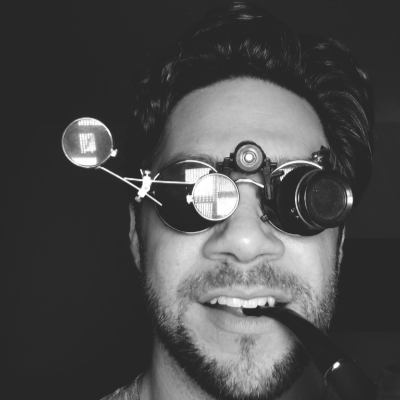
Nick Shaheen is an independent writer, director, and motion graphics designer and visual effects artist. He’s created several award-winning short films, worked on numerous commercial projects and music videos. Follow him on YouTube, Instagram, X (Twitter), Vimeo, Facebook, or Behance.
He collaborated with Wacom and Rokoko to showcase his motion graphics workflow, featuring the Cintiq Pro 32 and Rokoko motion capture suit, and discussed his work in this interview.
Allison Olivia Moon enjoys documenting life and capturing its fleeting magical and beautiful moments. She’s a modern-day artist and content producer who’s inspired by nature, magic, and fashion. Living in New York City makes it easy to find interesting subjects, situations, and settings to photograph. And she’s always sharing her day’s finds on her Instagram or Twitter.


Allison is a curious, dreamy observer who loves to imagine the world just a little bit different, and her photo editing chops help her add magic to the mundane. She recently reviewed our new Intuos Pro Small while retouching one of her photos. Check out the video below and follow her on YouTube.
We met Allison at the 2019 MoCCA Arts Festival when she had beautiful bright red hair. She shared how she’d been using Wacom tablets for years to work on her photos. She let us ask her some questions to find out more about her art and her career, and we hope you enjoy getting to know her as much as we did.
We know you’re a content maker, but you obviously have an affinity for photography and retouching – how/when did this begin?
It’s hard to pinpoint when it exactly happened— I grew up around photography, and I’ve always loved art but didn’t really take too much interest in it until I started posting food pictures on my Instagram. It was very simple, just showing what I ate that day and any recipes I came up with. Who doesn’t love food photography? I liked sharing bits about my life, and eventually, I started showing more of myself in photos. I always loved when photos looked a little magical, so I taught myself how to incorporate that element into my own work. It took off from there!
What are your favorite tools and programs to use, and why?
Photoshop and Lightroom. I’ve always referred to Photoshop as my oven to “bake that perfect photo” and since using Lightroom, I call that the sauce. I think they go hand in hand together. I do my edits on Photoshop and then bring it over to Lightroom for the final touches and colors. I like having complete control when it comes to my photos, from placement to colors, so it’s why I don’t use mobile apps. I also use the Wacom Intuos Pro Small to draw on different elements that I want in my photos. Having a stylus pen further helps in control, and it’s much easier on the hand!
You have a very consistent aesthetic throughout your work – how would you define your style?
First of all, thank you! That makes me so happy to hear— consistency is key, and it can be tough to maintain. I think I would define my style as whimsical, magical, colorful, fun. I want my style to scream “Woah, that’s magical!” When I feel like experimenting, I look at all my pictures as a grid. I look at colors, at the story, at placement, and I think “How can I make this better? What else can I add, but still be very much my style?” I constantly challenge myself to try and take better photos, as well as improve my photo manipulation skills.
When retouching and editing, it’s easy to go overboard and keep going. How do you know when one of your pieces is done?
I relate to this so much! It’s incredibly easy to go overboard. I look back on some of my older photos and think how I could’ve toned it down a little, but hey— that’s how we learn and grow. I know when to stop when I find myself looking at the photo too much, trying to see if there’s anything missing. I go back and forth between the original shot and the final edit. Some photos definitely take me longer to edit than others (anything with floating objects basically) but when it starts to drag on, I know that’s my stopping point.


Do you create hidden meaning or messages in your work?
I do sometimes! I really like telling stories, and I love when there’s an underlying meaning to photos. When someone looks at one of my photos, I want them to feel the message, and to feel a certain emotion. That makes me so happy when people say they really feel the emotion from my work.
What are some of the things you do to find freelance work and grow your brand?
Social media has been such a great way to reach out to different brands, I get a lot of my work from there. I also try to attend a lot of networking events and festivals. Always have business cards ready, you never know who you’re going to meet! When it comes to growing my own audience, I’m active with my engagement. I answer a lot of DMs and reply to comments. I appreciate my growing audience so much and I want them to know their messages are really appreciated. I wouldn’t be able to do what I do without them.
Who/what are some of your creative influences? Anyone you would advise our followers to check out?
I’m blown away all the time by the talent that surrounds me. I get a lot of inspiration from Sorelle Amore @sorelleamore), her tutorials really helped me be more comfortable on camera. Kika Kutova’s work is also amazing, it’s so whimsical and fun to look at! I really admire people who step outside of the box.
Do you do anything special to get your creative juices flowing when you’re feeling uninspired?
Now that I’m thinking about it, yes! While I don’t necessarily go out of my way to brainstorm, I do find myself writing in my journal a lot more when seeking inspiration. I look at colors, I look at the weather, and listen to music. I think about how they make me feel, and how to convey that feeling in a photo. Strangely enough, some of my best ideas come while I’m cooking or cleaning! I guess because I allow my mind to wander. If I have a particular project with a client, I look at the products given to me and start rearranging things. I think when you can change your perspective on something, you can find inspiration a lot easier.


How has sharing your work online helped or impacted your creative process?
By sharing my work online, it helped me connect with other creators, build a circle of sorts! I’m inspired and motivated when I see others putting themselves out there, and it makes me want to do my best. I love the feedback I get from my audience about my work, and I take their opinions seriously. I think that’s really important when it comes to growing your social media presence. It has definitely helped me be more bold with photography. I feel more comfortable in my skin knowing I have a lot of support in what I do. It’s fantastic. Exhilarating.
How do you cope with negativity online? What’s your advice to young creatives scared to show their work due to toxic commentary?
For my dear fellow creatives, if there’s one piece of advice I can give you, it’s this— Don’t let negativity bring you down and stop you from what you want to do. Everyone is entitled to their own opinion. If it’s not constructive criticism that you can learn from, you simply have to keep going! Improve your skills and learn from people who are like-minded. You never know what you’re capable of until you try.

About the artist:
Allison Olivia Moon is a content creator documenting things they like to do and sharing how the world looks through their camera lens. They find joy in the strange and usual. When they’re not editing or working with clients, you will catch them in nature, enjoying the outdoors.
Follow their work on Instagram, Tik Tok, X (Twitter), YouTube, or their website.
We’re excited to bring our newest products to CES 2024, including Wacom Cintiq Pro and Wacom One. As a bonus at the event, we will also feature our digital rights management software Yuify, and introduce Wacom Bridge, which enables a seamless remote collaborative workflow for studios.
User-inspired technology
Wacom builds hardware and software that meets the needs of today’s artists and exceeds the desires of tomorrow’s creators. All our products are designed based on feedback, observations, and insights from our users. For our latest product launch, we worked with creative professionals in virtual production, VFX, CG, animation, and beyond to create our newest line of products in the Wacom Cintiq pro family, which includes the Wacom Cintiq Pro 27, 22 and 17.
The entire Wacom Cintiq Pro line was designed from the ground up, by thinking of our users’ current needs as well as their desires for the future. We focused on virtual production, top-level color management, customization, and remote collaboration.
Wacom in the world of virtual production
Virtual Production is an aspect of the rapid evolution of cinema, brought about by a serendipitous convergence of new technology and demand for streaming content — at a pace no one could have anticipated. Virtual production grew in popularity due to the COVID-19 pandemic but has continued to grow because of the efficiency and flexibility it offers.
Studios are finding is that with the right upfront planning and investments, movies can be made at the same or higher quality, in a fraction of the time and with minimal post-production, with the use of digital assets, photogrammetry, and virtual sets.
Wacom tools have been prevalent in the filmmaking process for years and remain the tool of choice in nearly every studio on the planet. We already power some of the best virtual production workflows, and the precision and best-in-class color fidelity of the new Wacom Cintiq Pro 27 takes our pro line to the next level. Click here to learn more about how the Wacom Cintiq Pro 27 is a powerful tool for virtual production workflows.
Wacom’s high color performance
Color accuracy is a big part of efficiency in virtual production workflows, which is a major reason why the Wacom Cintiq Pro 27 features 100% Rec. 709 and 98% DCI-P3 color accuracy. Its 4K display, with 10bit color, shows clear and crisp content with a high color performance and calibration options.
For a colorist, a setup would traditionally include a full-size color calibrated computer screen, a scientific color accurate monitor, SDI breakout/conversion, and a whole mess of cables. The Cintiq Pro 27 reduces this footprint without compromising performance, as it combines everything in one simple, color accurate 4K touch-screen interface. Click here to learn more about the Cintiq Pro 27 and its color accuracy performance.
Engineered for harmony
Customization was a key element when developing our new line. The new Wacom Pro Pen 3 was ergonomically improved and redesigned to fit different user preferences, with customizable wright, grip thickness, pen buttons and center of balance. For a more tailored and harmonious workflow, the Cintiq Pro 27 has eight easily accessible Express Keys. In addition, its multi-touch screen enables users to interact with their content in a truly immersive way by using natural gestures like panning, zooming and rotating.
Wacom Bridge
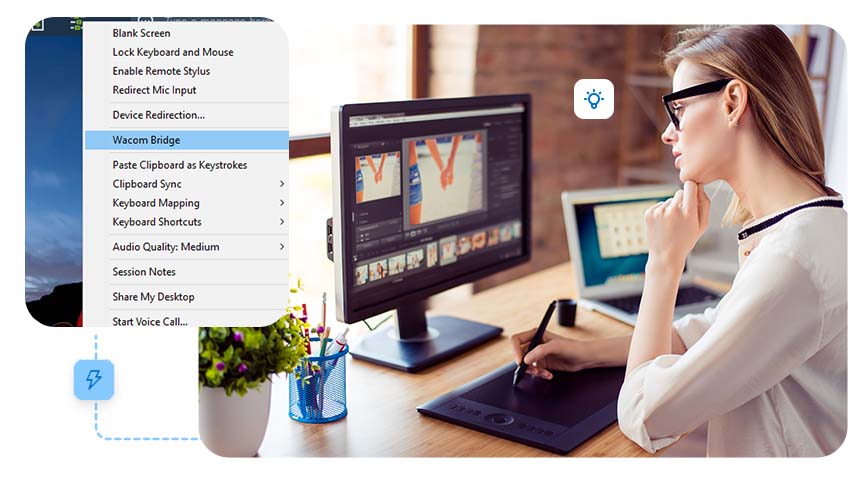
Remote and hybrid work environments for creatives are the new normal – and the future. But unfortunately, a lot of technology isn’t optimized for the artist’s experience We believe creative teams shouldn’t be hindered by remote desktop limitations, so we worked with partners AWS NICE DCV and Splashtop to develop an innovative technology solution that radically improves working with our products on supported remote desktop connections: Wacom Bridge.
Wacom Bridge enables artists, designers, and developers to take full advantage of pen and touch input on both their local and remote machines. Using Wacom Bridge, switching between local and remote use of a Wacom pen is as easy as selecting an application window, no matter what size. Plus, if the same app is used locally and remotely, the application specific settings will automatically apply on both systems.
The redesigned and upgraded Wacom One family
When Wacom first launched the Wacom One in 2019, it was a major achievement — it was the first truly affordable creative pen display complete with Wacom’s industry-leading digital pen technology. It made digital creativity accessible to beginners, art students, and budget-conscious hobbyists like never before.
But we never stop innovating, so we redesigned and upgraded the Wacom One line for better performance, more options, and near-limitless opportunities for customization.
The Wacom One line offers more than just the ideal pen display or pen tablet, it comes bundled with free software and gives users access to the Wacom Adventure Program, where we bring our community tutorials and exciting learning experiences.
The Wacom One line offers two creative pen display sizes and two creative pen tablet sizes to choose from: Wacom One 13 and Wacom One 12 displays, and Wacom One Medium and Wacom One Small pen tablets.
Protecting artists and their creative work
Our commitment to Improving user experience goes beyond optimizing our hardware. Wacom also wants to help artists protect and maximize the value of their creations. Our answer to protect the intellectual rights of artists is Wacom Yuify, a service that allows artists to protect their artwork, manage usage rights, and establish legally binding license permissions. Yuify enables artists to secure their exports by embedding a unique digital ID with a permanent record of registration, which can be used to trace it back to the artist who registered.
Yuify is meant to act as a digital rights management platform where creators can conveniently manage their authorship records and sign licenses and contracts.
Learn more about Wacom at CES 2024 | January 9-12, 2024
We’re excited to present our newest technology and ventures at CES 2024, and hope you can join us to learn more about how we’re helping ensure that the future of digital ink remains exciting, promising, and accessible to everyone!
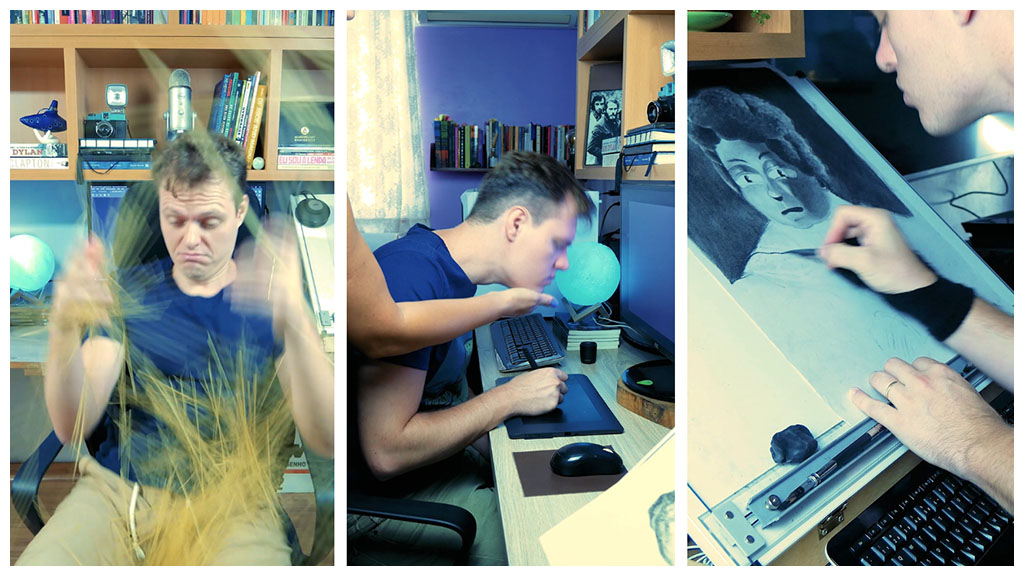
]]>Lucas is a Brazilian illustrator, animator, and musician who caught our attention a few years ago on Instagram as one of our most active community members. His quirky style, relatable humor, and genuine willingness share his art skills and experience with others won us over. For example: the funny video below in which he helps us debunk the Spaghetti-as-a-nib “hack.”
Please do NOT attempt to use pasta as a Wacom pen nib! Please do check out our interview with Lucas below to get to know him, his art, and his process a little better.
How did your motto, “an artist making fun of art,” come about? Have you always had fun making art, or did you have to use humor to get past the unpleasant parts?
As a kid, I always made my friends and family laugh, but I had a dark period in my teens. When I was 12, I was a very chubby kid. My nickname was “fatty” and people made fun of me, also because I was not into the things that the other kids were into. During that period, I spent a lot of time alone in my room, practicing guitar and drawing. I developed most of my creativity during this time. Just recently, I rediscovered some VHS video recordings of when I was a kid and they hit a nerve. I was such a clown in those home videos. I was also happy! So, I decided to reclaim that feeling and, today, making people laugh is something that brings me a lot of joy.
You’re gifted illustrator and animator, but one can also say you’re a writer and comedian. How important is storytelling and humor in your work? Did you study writing or acting?
Back in the day, my friends and I made fake commercials and movie trailers using my aunt’s camcorder. When I was in college, I took a class called “Cinematic Storytelling” and the instructor was amazing. I fell in love by the craft and even made three short films that won some international awards.
My wife is a master storyteller, so I’ve learned a lot from her, too. Acting was never something I believe I was good at, but people seem to laugh at my silly face when I’m on camera. So, I’m doing that now too.
How did you become the face behind Wacom’s and Graphixly’s relatable art tip videos?
I did one TikTok video making fun of digital artists trying to use Ctrl+Z when drawing traditionally. I posted the video and went to bed. The next morning, my phone was literally hot and had a thousand notifications. The video had about 25k views – by the end of that day, the video reached 450k views!
I continued posting videos in the same style and was lucky enough to be noticed by Wacom and Graphixly. I’m very grateful that Wacom responded to my messages. I literally fell off my chair when it happened.
Where do you get the inspiration to make these slice of life videos?
The ideas for the videos always start with “what is something that I struggle with in my work?” That’s usually the easy part. Then I try to exploit the super relatable aspects of it, and that usually makes it funny.
I don’t like to follow trends, but I take inspiration from TikTok and Instagram because I believe it’s important to understand the platform’s tone, and post things that make sense to the audience.
Has collaborating with Wacom and our partners at Graphixly helped you in your career? What’s some advice you’d give to artists looking to build relationships with brands they use and love?
Collaborating with Wacom and Graphixly took my career to another level – and it allowed me to start working on something I love. Before this experience, I spent 10 years in a toxic work environment doing a job that I didn’t like. The advice I would give to people looking to collaborate with brands, is that you need to have a work ethic and be professional, even if your work involves doing silly things as mine does.
Also, don’t be afraid to contact brands that you like. Remember that there’s a human on the other side and, in Wacom’s case, wonderful humans. But keep in mind that you have to offer value to the brand. Don’t expect that they will do charity work.
How do you manage your time between being a working artist with clients, someone also managing their own online communities, and someone who is also a father and a partner? Are you a machine or are you a triplet? HOW?
Time management is tricky, but I always try to do things I love every day, even if it’s just for 20 minutes. That usually makes me feel like my time is well spent.
I met my wife when I was 19 and she already had a son, so I became a step-father very young. When I was 25, we had a daughter, and while challenging, fatherhood has made me very grateful. Before I formed my family, nothing satisfied me, and I was always thinking about the things I didn’t have. Today, when I lay in bed at night, I just feel deep gratitude for everything in my life. It helps when you have a supportive person by your side. My wife is the only person who has always believed in me, even when I didn’t believe in myself.
What’s your favorite part about sharing your work on social media and what is your least favorite part about it?
My favorite part is that I have the privilege to share my work with the world and get instant feedback. Ironically, that’s also my least favorite part, because you can get too caught up in reading the audience’s feedback and start be tempted to repeating formulas, which is bad for creativity.
As an artist, I’m very careful with what I consume on social media. I limit my Instagram use to 20 minutes per day, and I don’t use more than that.
What fun plans do you have for 2023?
I’m searching for illustration agents to work with me in 2023. Also, I have this lifelong dream of doing editorial illustrations for The New York Times. Also, a splash screen for Fortnite would be awesome (I will get so many cool points with my kids with this last one). I have more goals written down, but most of them involve grooming a respectable mustache.
What advice do you have for young artists starting out their careers in what feels to be an uncertain, scary time?
Don’t sit and wait. I had this illusion that my work should “speak for itself” and clients would knock on my door. That might only work if you’re Mike Mignola.
Also, you must be aware of the world surrounding you, while maintaining your own focus. I’m seeing a lot of artists worrying about AI art and that’s not necessarily a creativity problem, it is a legal problem. Try to focus on ideas, instead of mechanical, repetitive work and your art will be safe.
What Wacom art tip video did you enjoy making the most?
I enjoy it when things get absurd and silly. I also love playing my El Bigodon character, he’s way cooler than me.

About the Artist
LP Lucas is an illustrator and animator who mixes digital painting with cartoony subtext and the aesthetics of UPA cartoons. His use of muted colors and painterly light effects is heavily inspired by 60s animation.
With the motto “an artist making fun of art,” Lucas creates weekly videos with millions of views, teaching about art and his process. Some of his clients include Wacom, The piauí Herald, Graphixly and Clip Studio Paint.
Lucas also co-created one of the top literature podcasts of Brazil called Leitura de Ouvido, he wrote and directed three award-winning short films and also releases original music.
Ahora más que nunca, las herramientas que usas para crear imágenes para tus redes sociales personasles o las que usas para trabajar profesionalmente, son parte integral para crear tu brand o marca. Afortunadamente, hoy en dia esas herramientas también son extremadamente accesibles. Con una Wacom Intuos y Boris FX Optics (¡y una computadora obvio!) puedes crear imágenes impresionantes para tus proyectos.
Además, puedes obtener 12 meses de Boris FX Optics 2022 GRATIS (¡un valor de $99 dolares!) con cualquier compra nueva de Wacom Intuos.

Continua leyendo para obtener más información sobre las funciones de Boris FX Optics, por qué Optics y Wacom Intuos son la pareja perfecta.
Optics + Intuos
Boris FX Optics ayuda a crear imágenes sorprendentes, utilizando herramientas como ajustes preestablecidos de partículas para agregar humo y fuego, retoque de belleza para retratos impecables, filtros que replican el estilo de películas históricas y mucho más.
Optics es aún más potente cuando se usa con una tableta digitalizadora como Wacom Intuos. Puedes pintar máscaras con precisión, transformar tu lápiz en una varita mágica al pintar efectos con Particle Illusion y editar fotos de manera más fluida y natural. El duo perfecto, Optics y Wacom Intuos ofrecen una de las maneras mas divertidas de transformar tus imágenes.
Qué está incluido en Boris FX Optics
Optics es una de las aplicaciones de efectos fotográficos más versátiles en el mercado, y se puede usar para todo, desde la simple edición de fotos, hasta para crear piezas de arte de ciencia ficción completas. Optics se puede usar como una aplicación independiente o como un complemento de Adobe Photoshop y Lightroom Classic.
Estos son algunos de los aspectos más destacados de Optics 2022.
Ilusión de Partículas
La última versión de Optics ahora incluye Particle Illusion, que incluye “partículas” como humo, fuego, agua, polvo y muchas más. Hay más de 1700 ajustes preestablecidos de partículas disponibles para agregar movimiento y crear imágenes más dinámicas.

Estudio de Belleza
Suavizar la piel, retocar las líneas finas y crear un aspecto editorial para tus retratos será sencillo con Optics. Los filtros de belleza permiten la edición de una sola pasada, que luego puede superponer con apariencia de película y otras ediciones para obtener retratos únicos y de aspecto profesional.

EZ Masking y Herramientas de Pintura
Los efectos y filtros en Optics se pueden aplicar a ciertas partes de tu imágen usando herramientas de enmascaramiento y pintura como EZ Mask.
Un garabato rápido con lápiz te permite resaltar el sujeto y el fondo en tu foto. A partir de ahí, puedes reemplazar fácilmente el fondo o aislar los filtros del sujeto.
Filtros y Efectos Preestablecidos Para Fotos de Paisajes
Convierte una foto de un paisaje diurno en una nocturna, agrega una capa de niebla brumosa para darle drama al panorama, o crea tu propia noche estrellada realista.

Cómo configurar Wacom Intuos para Boris FX Optics
Como con cualquier software creativo, existen muchas formas de personalizar los botones ExpressKeys y botones del lápiz de la tableta Intuos. Para empezar, aquí hay una configuración ExpressKey de controles de navegación y shortcuts de teclado de mapeo de Optics.
Intuos ExpressKeys
Personaliza los botones ExpressKey en la sección Tablet en la ventana de propiedades de tu tableta Wacom.
Es importante agregar Optics a la bandeja de aplicaciones para mantener estos accesos directos específicos para la aplicación. Esto permite una personalización completa de cada aplicación utilizada con la tableta.
- Undo
- Ctrl/Cmd – Ctrl/Cmd + ajustar el tamaño del pincel en el modo de pintura
- F – Ajusta la imagen a la ventanaa
- Enter – Procesa la máscara


Botones del Lápiz Intuos
 Los botones del lápiz Intuos se pueden personalizar con cualquier pulsación de tecla, modificador o combinación de ambos, pero a menudo los comandos más útiles son los predeterminados.
En Optics, haz clic con el botón central y arrastra para desplazarse por el lienzo.
Para obtener la mejor experiencia con el lápiz Intuos usando las herramientas de pintura en BorisFX Optics, asegúrate de que Use Windows Ink esté seleccionado en la pestaña Mapping en la ventana de propiedades de la tableta Wacom. Esto permite que la sensibilidad a la presión controle tanto el grosor del pincel como la opacidad mientras se pinta.
Cómo Acceder a Tu prueba Gratuita de Boris FX Optics 2022
Con cualquier nueva compra de Intuos después del 1 de abril de 2022, puedes acceder a tu prueba gratuita de 12 meses de Boris FX Optics 2022. Para acceder a tu prueba gratuita de Optics, conecta y configura tu Wacom Intuos, luego sigue los pasos de configuración para registra tu dispositivo. Después de registrar tu dispositivo, puedes ver y canjear tus ofertas de software a través de Mi Cuenta.
Elije tu dispositivo Intuos, selecciona Boris FX Optics, luego completa la descarga e instalación a través de Boris FX. ¡Estarás creando impresionantes fotos en poco tiempo!
¡Compre Intuos ahora para acceder a 12 meses de Boris FX Optics gratis!

More visibility for female creators!
Pay tribute to your favorite female creators by making and sharing a portrait of them OR by recreating one of their most iconic pieces in your style. While you’re at it, share in your caption how these women have influenced you or inspired you. Post your artwork on Instagram with the hashtag #WacomWomen for a chance to be featured on our channels and a chance to win one of the four Wacom Ones we’ll be giving away on March 31. Follow along on Wacom’s main Instagram account to get updates.
#WacomWomen 2022 Art Challenge details:
- We invite creators living in North America, Latin America, and Europe to participate in the #WacomWomen challenge
- Non-digital art is welcome!
- You don’t have to be a Wacom user to participate
- You don’t have to be a professional artist to be featured
- Challenge winners will be announced on March 31 and the winners will be announced on Instagram
- You may enter as many #WacomWomen pieces as you wish to increase your odds of winning
- Challenge winners will be picked at random using Arbitery.com, an online Instagram giveaway winner picker
- Check out the rules and conditions here
Prizes


Women’s visibility year-round
Women haven’t been treated equally in the arts, entertainment, gaming, media, and tech. Women remain underrepresented and undervalued in studios, museums, galleries, and auction houses. For example, according to the National Endowment of the Arts, nearly half (45.8%) of visual artists in the USA alone are women; and on average, they earn 74¢ for every dollar made by male artists.
We encourage everyone in our community to help raise awareness on these issues and to support women creators beyond the month of March. There are many ways to help, whether purchasing or resharing work from your favorite female artist, highlighting the women in your life who have influenced you, drawing them and celebrating their accomplishments, echoing their voices, and sharing their stories.

AFTER MIDNIGHT by Súa Agapé 2022
Need help finding ways to fight under-representation?
Here are some amazing organizations you can support:
]]>
1. What was your greatest influence or reason for devoting yourself fully to illustration?
I went into illustration because ever since I can remember I have always been attracted to images and their function as a visual language, I can honestly say that this has always been my vocation.
2. What did you study to prepare for this career; and what do you advise to people who don’t have the means to go to art school?
I have a degree in graphic design, one in visual communication design, a master’s degree in advertising illustration, and I also have a master’s degree in art direction. Formal in-person education is on trial right now and is going up against low-cost digital education and free mass content, you can learn a lot as a self-taught artist without spending huge amounts of money, there are no more excuses not to learn.
3. When did you start doing digital art and why?
I don’t like to think that I am a digital artist, my job is to make effective visual communication in the form of graphic design and illustration for my clients, my process was as common and as traditional as anyone’s, I began with paper and pencil, then I discovered a graphic editing software, and now I spend my days switching between those 2 disciplines; the reason I do what I do is that it fills me with enormous pleasure – I like it, I’m good at it.
4. What are your favorite illustration programs and tools?
This is a very good question, people usually think that my illustrations are vector, but the truth is they are mostly bitmaps, I only do vector illustration if the client specifically asks me. Photoshop is my favorite app to illustrate and my Wacom Cintiq Pro is indispensable for my work which makes it my favorite tool.

Jhonny and his Cintiq Pro 32
5. What do you advise to people who are afraid or who are reluctant to create digital art?
There is no law that forces a creative mind to opt for a specific discipline, anyone can express themselves or execute their work in the way they consider most comfortable and paramagnetic, it can be analog or digital, proof of this is the innumerable relevant personalities in the world of creativity that have their own styles and methods, what I can say for sure is that no matter what the final technique is, having a Wacom at hand is always useful and necessary.
6. What are some of the art trends or styles that have most influenced you?
My first great visual love was comics, I loved reading them, collecting them, I even illustrated my own comics and created my own superheroes. After a while, when I bought my first computer, there was a long phase in which I only did vector illustration, since that was the trend when social networks were emerging. I’d say comics and vector art have been my 2 most important influences.
7. Do you think Latin American artists have to travel abroad to boost their careers?
No, I don’t think it’s necessary, online networking is the ideal way to promote a career, get relevant clients and present yourself to the world, and even more so in this era of social distancing… But of course a couple of photos abroad doing this or that for some clients always generates engagement and reach in the networks.
8. How do you incorporate your Colombian culture in your work?
Excellent question, each time I find it more difficult to incorporate my culture into my work. My clients are 95% brands from the United States and 5% brands from countries outside Latin America. The projects I am commissioned for must align with current market trends and unfortunately, Colombian culture is not a trend in the industry. However, my clients consider my color use technique as one of the main reasons why they hire me and tend to define it as something visually very Latin American.
9. What have been some of the projects that have brought you the most satisfaction?
I always do my work with the maximum effort and professional quality possible; I am always satisfied with what I do because I do it well. Every year I set myself strategic goals to work with new relevant clients. When my strategy bears fruit and those clients I was pursuing contact me, I feel indescribable satisfaction. My work is pure satisfaction and I think that’s why it’s easy for me to remember the less satisfactory jobs since there have been so few.
10. How was your experience working with Disney for Encanto?
It was like being on a roller coaster that never stopped going up. Working for Disney on a film inspired by Colombian culture has been one of the most enriching professional experiences I’ve ever had, just imagine, it’s not every day that one of the largest and most important corporations on the planet knocks on your door to ask you to help them make history, all of that was just fantastic.
11. What advice do you have for young people who aspire to one day work for big brands or studios?
Be professional: having a professional work protocol helps to reflect your professional level with confidence and helps in negotiations when talking about money.
Learn about business: not everything is illustration, you have to invest time in business training to be up to par with a great client.
Say no to illustration agencies: a large client always means a great opportunity, valuable contacts, and a huge amount of money, if you let yourself be managed by an illustration agency the equation changes against you, since you will not control the negotiations and you’ll never really know how great that opportunity could have been. With agencies you will never be able to connect with that client, you will only really know what the agency wants you to know, and eventually, that “huge payment” that you were expecting will be 30% smaller than anticipated.
12. What are the advantages of freelancing?
Sleeping well and plenty, not having to cover 3 jobs and only receiving the salary of one, having total freedom to decide who I want to work with, not having to ask anyone for permission to use my time as I want, when I want, making more money in one day than they can pay me in 6 months at an agency, blasting my favorite playlist while I work, not having to put my name on the food I keep in the company fridge, receiving gifts from my clients, sending gifts to my clients, living without fear of being fired, being happy.
13. What advice do you have for creatives working with illustration agencies?
Illustrators who want to be represented by illustration agencies usually choose to be because they believe that this is the only way to land large clients, but they are wrong. The illustration agency is really the worst option if you want to make a career as a freelancer, my advice is this: forget about illustration agencies and learn to manage yourself as a freelance illustrator.
14. What do you do to attract the attention of brands or studios you want to work with?
I do a lot of research, I investigate who are the people with whom I must communicate, I apply marketing strategies that I designed based on my needs, I send love letters, I put my photo as a profile image on all my networks, I maintain a strict discipline in networks and I only share what my clients want and need to see, I’m not trying to sell anything, I just say hello and ask how I can help, I’m surgically professional, I’m always available.
15. What are you most excited about this year?
Going to Portland, Oregon.

Jhonny Núñez in his workspace
It’s hard not to fall in love with Jhonny’s work and be inspired by his story. We hope you have enjoyed this interview and that you start following Jhonny Nuñez on social media.
]]>
1. Cual fue tu mayor influencia o motivo para dedicarte de lleno a la ilustración?
El motivo por cual me dedico a esto de la ilustración es debido a que desde que tengo memoria siempre he sentido atracción por las imágenes y su función como lenguaje visual, puedo decir que esa siempre fue mi vocación.
2. Que estudiaste para prepararte en esta carrera; y que aconsejas a personas que no tienen la manera de estudiar arte formalmente?
Tengo licenciatura en diseño gráfico, soy graduado en diseño de comunicación visual, tengo un master en ilustración publicitaria y también tengo un master en dirección de arte. La educación formal está en plano de juicio y está enfrentándose a la educación low-cost digital y al contenido masivo gratuito, se puede aprender mucho como autodidacta sin gastar ingentes cantidades de dinero ya no existen escusas para no aprender.
3. Cuando empezaste a hacer arte digital y porque?
No me gusta pensar que soy un artista digital, mi trabajo es hacer comunicación visual efectiva en forma de diseño grafico e ilustración para mis clientes, mi proceso fue tan común y tradicional como el cualquier persona, primero usé papel y lápiz, después descubrí un software de edición grafica y ahora me paso el día entre esas 2 disciplinas, la razón por la que hago lo que hago es porque me llena de un enorme placer, me gusta, soy bueno en esto.
4. Cuales son tus programas de ilustración y herramientas favoritas?
Esta es una muy buena pregunta, la gente suele pensar que mis ilustraciones son vectoriales, pero la realidad es que son mapas de bits en su gran mayoría, solo hago ilustración vectorial si el cliente me solicita específicamente, Photoshop es mi app favorita para ilustrar y mi Wacom Cintiq Pro es indispensable para mi trabajo lo que la hace mi herramienta favorita.
Jhonny trabaja con una Wacom Cintiq Pro 32
5. Que aconsejas a personas que tienen miedo o que se resisten a crear arte en digital?
No existe ninguna ley que obligue a una mente creativa a decantarse por una disciplina especifica, cualquiera puede expresarse o ejecutar su trabajo en la forma que considere mas cómoda y paramagnética, puede ser análoga o digital, la prueba de esto son las innumerables personalidades relevantes en le mundo de la creatividad que cuentan con sus propios estilos y métodos, lo que si puedo decir con seguridad es que sin importar cual sea la técnica final tener un Wacom a la mano siempre resulta útil y necesario.
6. Cuales son algunas de las tendencias o estilos de arte que mas te han influenciado?
Mi primer gran amor visual fueron los cómics, me encantaba leerlos, coleccionarlos, incluso ilustré mis propios cómics y creaba mis propios super héroes, mucho tiempo después, cuando compré mi primer computador tuve una larga etapa en la que solo hacia ilustración vectorial, por aquellos tiempos esa era la gran tendencia presente en las recién nacidas redes sociales, el cómic y el arte vectorial han sido mis 2 influencias mas importantes.
7. Crees que artistas Latinoamericanos tienen que viajar al extranjero para impulsar sus carreras?
No, no lo creo necesario, el networking online es el sistema por excelencia para impulsar una carrera, conseguir clientes relevantes y presentarte al mundo, y mas aun en esta era del distanciamiento social… Claro que un par de fotos en el extranjero haciendo esto o aquello para algún cliente siempre genera enganche y alcance en las redes.
8. Como incorporas tu cultura Colombiana en tu trabajo?
Excelente pregunta, cada ves me resulta mas difícil incorporar mi cultura en mi trabajo, mis clientes son 95% marcas de E.E.U.U. y 5% marcas de otros países fuera de america latina, por los proyectos que me encargan deben estar acorde a las tendencias del mercado y por desgracia la cultura colombiana no es tendencia en la industria, sin embargo mis clientes consideran mi técnica del uso de color como una de las principales razones por las cuales contratan mis servicios y tienden a definirla como algo visualmente muy latino.
9. Cuales han sido algunos de los proyectos que mas satisfacción te han traído?
Siempre hago mi trabajo con el máximo esfuerzo y calidad profesional posible, siempre quedo satisfecho con lo que hago ya que lo hago bien. Cada año me propongo objetivos estratégicos para trabajar con nuevos clientes relevantes, cuando mi estrategia da frutos y me contactan esos clientes que estaba persiguiendo siento una satisfacción indescriptible. Mi trabajo es pura satisfacción y creo que me resulta mas fácil recordar los trabajos menos satisfactorios ya que son muy pocos.
10. Como fue tu experiencia trabajando con Disney para Encanto?
Fue como estar montado en una montaña rusa que no para de subir, trabajar para Disney en una película inspirada en la cultura colombiana ha sido una de las experiencias profesionales mas enriquecedoras que jamas he tenido, solo imagina, no todo los días una de las corporaciones mas grandes e importantes del planeta tierra toca a tu puerta para que les ayudes a hacer historia, todo eso fue simplemente fantástico.
11. Que consejo tienes para jóvenes que aspiran algún día llegar a trabajar para grandes marcas o estudios?
Ser profesional: contar con un protocolo de trabajo profesional ayuda a reflejar tu categoría profesional con seguridad y facilitar las negociaciones al momento de hablar de dinero.
Aprender de negocios: no todo es ilustración, hay que invertir tiempo en formación de negocios para estar a la altura de un gran cliente.
Dile no a las agencias de ilustración: Un cliente grande siempre significa una gran oportunidad, valiosos contactos y un enorme cantidad de dinero, si te dejas administrar por una agencia de ilustración la ecuación cambia para mal ya que no controlaras las negociaciones y jamas sabrás que tan grande pudo ser la oportunidad en realidad, nunca podrás conectar con ese cliente realmente solo podrás saber lo que agencia quiere que sepas y por ultimo ese enrome pago que estabas esperando será un 30% mas pequeño de lo que esperabas.
12. Cuales son las ventajas del freelance?
Dormir bien hasta la saciedad, no tener que cubrir 3 puestos de trabajo y solo recibir el sueldo de uno, tener la libertad total para decidir con quien quiero trabajar, no tener que pedirle permiso a nadie para disponer de mi tiempo como y cuando yo quiera, ganar mas dinero en un día del que pueden pagarme en 6 meses en una agencia, poner mi lista de musica favorita a todo volumen mientras trabajo, no tener que poner mi nombre en la comida que guardo en la nevera, recibir obsequios de mis clientes, enviarle obsequios a mis clientes, vivir sin miedo de que me despidan, ser feliz.
13. Que consejos tienes para creativos trabajando con agencias de ilustración?
Los ilustradores que quieren ser representados por agencias de ilustración suelen escoger serlo debido a que creen que esa es la única forma de poder trabajar con grandes clientes, pero se equivocan, realmente la agencia de ilustración es la peor opción si quieres hacer carrera como freelance, mi consejo es este: olvidate de las agencias de ilustración y aprende a administrare como ilustrador freelance.
14. Que haces para atraer la atención de marcas o estudios con los que deseas trabajar?
Hago mucha labor dei inteligencia, investigo quienes son las personas con las que debo comunicarme, aplico estrategias de marketing diseñadas en base a mis necesidades, envió cartas de amor, pongo mi foto como imagen de perfil en todas mis redes, mantengo una estricta disciplina en redes y solo comparto lo que mis clientes quieren y necesitan ver, no intento vender nada simplemente digo hola y pregunto como puedo ayudar, soy quirúrgicamente profesional, siempre estoy disponible.
15. Que es lo que mas te emociona este año?
Ir a Portland, Oregon.
Jhonny Núñez y su Cintiq Pro
Es dificil no enamorarse del trbajo de Jhonny e inspirarse con su historia. Esperamos que hayan disfrutado de esta entrevista y que comienzen a seguir a Jhonny Nuñez en sus medios sociales.
]]>

Mikeila began her artistic work as a photographer and in many ways the art of capturing light is very fitting for her. She is heavily drawn to magical worlds and has assembled a great set of skills to help her create them, including photo editing and retouching, installation building, light manipulation, painting, modeling, and performing. Mikeila is also a passionate educator and loves teaching at ORANGE Art Station and online in places like Domestika.
Check out the class she gave during Wacom Academy!
Mikeila loves working with Adobe Photoshop, Camera Raw, Lightroom and Bridge. Her favorite Wacom tool for retouching is the Wacom Intuos Pro. We can confirm that her love for the Wacom Pen is very intense.

That’s Mikeila Borgia’s Warrior of Digital Art, and yes she is holding a Wacom digital pen on literal* fire. And she didn’t do it alone, no señor. Check out her amazing crew and behinds the scenes action.
*Not literal fire


Mikeila dislikes labeling her work and style. She likes to focus on self-expression and the creative journey itself. Her style differs greatly from project to project, but a visible constant in her work is collaboration. Mikeila surrounds herself with an amazing team of creative friends who are equally committed to bringing magical worlds to life.
Her crew in the project above is as follows:
Styling & production: Lali Pagani / @lalipagani
Light designer & digital creative: Manuel Jerez / @infraciclo
Model: Carolina Vij from Not Your Models Management / @carovij @notmodelsmgmt
Fx – Makeup: Max Canosa / @maxcanosa
Hair: Ivana Robles / @freestylingtrenceria
Art Direction: Karen Z. Eckell / @karenzeta.h
Motion & 3D: @ey.nerda Harriott / @mebrasharriott
Sketch and illustrations: Juan Ursic / @juanursic
Graphic designer: Maite Penco /@maitepenco
Styling Asist: Isabella Gomez Tendler / @isabellagomezt
Film: Fabito D’Angelo / @fabitokool
Lighting equipment: @visico_china @megafoto_ok
Costume Designers, Evelyna Campos / @evelynacamp / Emilse Benitez @benitezemilse / Renatta @alai.acc

This year Mikeila was part of our Wacom: Give Unconventional campaign, in which we featured artists from the Wacom community who have inspired us throughout the years. When it comes to Wacom, Mikeila has been incredibly proactive in sharing her fanatical support for Wacom tablets, recommending our products to her students, and openly speaking about the ways in which working with the Wacom pen and the Intuos Pro helped her push the limits of her imagination.
Below is Mikeila’s review of our Intuos Pro and a little introduction about herself and her magical world. She made this for us a while back, but we think it’s worth a share!
We want to thank Mikeila and all the amazing artists who never settle and continue creating, sharing, and forever evolving. Where would Wacom be without you?
Go Follow Mikeila Borgia on Instagram!
Go check out your local Wacom distributor or our official USA Wacom Estore to see what discounts are currently available on the Wacom Intuos Pro, an ideal tool for photo retouching! In the USA you can Save Up to $100USD on Intuos Pro through December 12th.

Life without open schools, cinemas, festivals, and concerts certainly caught us by surprise and put our creativity to the test. In this second edition of the Atrévete challenge, the mission is to pay tribute to those who inspired us, taught us, and gave us strength during the year where everything came to a standstill, except them. Turn your pandemic hero into a superhero to win a Wacom One and other sweet prizes. We want to reward your creativity and that of teachers, mothers, fathers, children, friends, neighbors, acquaintances, health workers, mentors, and other everyday angels who helped us move forward, despite the circumstances.
#WacomAtrévete2021 will take place from August 5 to October 5, 2021 and will be supported by the artists participating Wacom Academy.
 Dare to compete?
To participate in #WacomAtrevete2021 you must:
1. Turn your pandemic hero into a superhero.
2. Share your tribute on Instagram before October 5 with the hashtag #WacomAtrevete2021.
3. Register to Wacom Academy and follow Wacom global on Instagram and your regional account, whether that’s Wacom Mexico, Wacom Centroamérica, Wacom Colombia, Wacom Ecuador, Wacom Perú, Wacom Chile, Wacom Argentina/Uruguay/Paraguay, and Wacom Brasil.
Who can participate?
We invite artists of all ages and in all disciplines, including all types of digital or analog art, photography, or animation. No preference will be given to digital art or art created with Wacom tools. This challenge is open to all creatives in the Americas, from Canada to Patagonia.
Who are the judges?
How and when will the winners be chosen?
Remember that in order to participate in the challenge you must be part of Wacom Academy 2021 by registering for one of the more than 30 webinars, conferences, and workshops. Failure to register for Wacom Academy will disqualify you.
Wacom Academy is Wacom’s annual art and education festival celebrating design, art, animation, photography, and more in Latin America. The event is completely free and allows art students to learn and interact with international artists behind some of today’s most stunning works of art and studio productions. We invite you to be part of this unique, totally virtual experience, from the comfort of your home.
What are the prizes?

Nara Oliveira
The ten #WacomAtrevete2021 winners will get equal prize packages, including:
1 Special Edition Wacom t-shirt
1 Clip Studio Paint Pro License
1 Guest apparance on a special #WacomAtrévete2021 episode on Wacom Cast en Español, hosted by Mike Sandoval
❤️❤️❤️
]]>La vida sin escuelas abiertas, cines, festivales y conciertos sin duda nos tomó por sorpresa y puso a prueba nuestra creatividad. En esta segunda edición del reto Wacom Atrévete, la misión es rendir tributo a las personas que nos inspiraron, enseñaron y dieron fuerza durante el año donde todo se detuvo, excepto ellos. Convierte a tu héroe de pandemia en un superhéroe para ganarteuna Wacom One y varias sorpresas más. Queremos premiar tu creatividad y la de docentes, madres, padres, hijos, amigos, vecinos, conocidos, trabajadores de la salud, mentores, y demás ángeles cotidianos que te ayudaron a seguir adelante.
#WacomAtrévete2021 se llevará a cabo del 5 de agosto al 5 de octubre del 2021, premiará a 10 ganadores, y contará con el apoyo de los artistas que participarán durante Wacom Academy.
¿Qué dices, te atreves a concursar?
Para participar en #WacomAtrevete2021 debes:
1. Convertir a tu héroe de pandemia en un superhéroe.
2. Compartir tu tributo en Instagram antes del 5 de octubre con el hashtag #WacomAtrevete2021.
2. Registrarte a Wacom Academy, y seguir a Wacom global en Instagram y a tu cuenta regional, ya sea Wacom Mexico, Wacom Centroamérica, Wacom Colombia, Wacom Ecuador, Wacom Perú, Wacom Chile, Wacom Argentina/Uruguay/Paraguay y Wacom Brasil.
Atrévanse todos
Invitamos a artistas de todas las edades y entodas las disciplinas, incluyendo todo tipo de arte digital o análogo, fotografía o animación. No se le dará preferenciaal arte digital o al arte creado con herramientas Wacom. Este reto está abierto a todos los creativos de las Américas, desde Canadá hasta la Patagonia.
¿Quiénes son los jueces?
¿Cómo y cuándo se escogerán a los ganadores?
Los 4 jueces elegirán a los 10 ganadores basados en la originalidad y mérito creativo de cada uno en sus respectivas categorías. Te invitamos a no copiar elementos de superhéroes que ya existan. Sorpréndenos con tus propios diseños y luce tus habilidades! La ejecución de la idea, su presentación y su historia u origen serán tomados en cuenta por cada uno de los jueces. La popularidad de la pieza o el artista participante en medios sociales no será tomada en cuentapara ganar.
Los ganadores se anunciarán por la cuenta oficial de @Wacom en Instagram el 11 de octubre y cada uno será contactado directamente por @Wacom via DM en Instagram.
Recuerda que para participar en el reto debes ser parte de Wacom Academy 2021 al registrarte a uno de los más de 30 webinars, conferencias y talleres. ¿Ya te registraste? Las personas que no se registraron para Wacom Academy serán descalificadas.
Wacom Academy, es el festival anual de diseño, arte, dibujo, fotografía y más en Latinoamérica, organizado por Wacom desde hace 5 años. El evento es totalmente gratuito y cuenta con la participación de artistas de talla internacional reconocidos en todo el mundo. Te invitamos a ser parte de esta experiencia única, totalmente virtual, desde la comodidad de tu casa.
¿Cuáles son los premios?
Nara Oliveira
Los diez ganadores de #WacomAtrevete2021 obtendrán un paquete de premios iguales.
1 Camiseta de Wacom edición especial
1 Licencia de Clip Studio Paint Pro
1 Invitación al episodio especial de #WacomAtrévete2021 en el Wacom Cast en Español dirigido por Mike Sandoval
❤️❤️❤️
]]>Las posibilidades de regalos para este Día de las Madres es inmensa y aún estamos a tiempo de elegir uno perfecto. Es por esto que nos dimos la tarea de enlistar algunas opciones ideales para esas mamás que quieren llevar su creatividad al siguiente nivel sin importar su ocupación.
Wacom One
Wacom One es la tableta perfecta si estás iniciando en el mundo del arte digital o si quieres visualizar tu trabajo en nuevos formatos, ya que está diseñada para que su uso sea sencillo aún sin ser un experto. Se conecta fácilmente a teléfonos Android para trasladar tus creaciones entre dispositivos y brinda una sensación natural del lápiz en su amplia pantalla de 13.3″. Si tu mamá está interesada en el dibujo, el retoque de fotos o videos o plasmar sus ideas en formato digital, esta es la mejor alternativa.

Wacom Intuos
Wacom Intuos se adapta a cualquier espacio y es fácil de transportar para crear sin importar donde te encuentres. Es la más adecuada si tu madre busca un lienzo completo para dar vida a sus ideas ya que más del 75 % de la tableta es área activa. Incluye tiempo atractivos programas de diseño como Clip Studio Pro y es posible mejorarla con otras aplicaciones que se pueden descargar directamente en el equipo. Además, la adición de la conexión Bluetooth en algunos modelos te permite conectarla a tu PC con solo oprimir un botón.

Stylus
Si, por otro lado, tu mamá ya es una artista experimentada, los stylus de Wacom cuentan con la precisión adecuada y sensación natural para sacarle el mayor provecho a sus tabletas gráficas. Por ejemplo, el Pen 4K de Wacom cuenta con 4096 niveles de presión e interruptores lateral programable para poner accesos directos a su alcance. Además, es compatible con todas las tabletas gráficas de la compañía.

Todos estos productos se encuentran disponibles en la tienda oficial de Wacom en México y también en el resto de latinoamerica a travez de diversos mayoristas.
]]>La clase Cómo Estudiar un Método de Dibujo fue idea del mismo WillNoName, quien lleva muchos años impartiendo clases en linea y compartiendo tips de dibujo con sus seguidores. Will nos contó que muchos jóvenes se desesperan al principio por empezar a dibujar personajes inmediatamente y terminan brincándose pasos fundamentales. 😞
En esta clase Will enseña su método para aprender cualquier estilo de dibujo mediante ejercicios y prácticas específicas que permitirán adoptar una nueva técnica de dibujo en tiempo record.
Will nos mostró los diferentes ejercicios que se pueden hacer para mejorar el pulso al dibujar o a “calibrar la muñeca” como el lo explica. Estos fueron algunos de los ejercicios que Will aconsejó repetir para agilizar y mejorar nuestros trazos al dibujar.


“Aprender a dibujar es como un deporte, tienes que practicarlo a diario y acondicionar tu mente y tu mano. Toma tiempo y no hay atajo…” WillNoName
Will lleva más de 10 años viviendo del arte, ilustrando para clientes en todas partes del mundo. Lo pueden conocer más a fondo en esta entrevista que le hizo Diseño Venezuela. Nosotros lo conocimos hace 5 años en la Argentina Comic Con, dónde Will nos ayudó a mostrar nuestros productos en acción en el estand. En ese entonces, Will insistía en pronunciar el nombre de nuestra marca como “Weycon.”
Willnoname es un artista nacido en Venezuela, ha expuesto sus trabajos en convenciones en diferentes países como España, Venezuela, Argentina y México. Trabaja como ilustrador freelance a través de Fiverr.com en donde tiene la categoría Fiverr Pro y Top rated seller. Y ha dictado múltiples webinars a nivel de Latinoamérica de la mano de marcas importantes como Wacom y Adobe.
Sigue a WillNoName en Instagram

###
]]>This interview is my confession I mean tribute to my life-long obsession with all things true-crime related.

There were early signs of my obsession with crime shows and my Wacom colleagues enabled it. We even ran an online contest titled Wacom Files to see who could help us identify a fake suspect for a fake heist. We came up with a list of descriptors to help the aspiring forensic facial imaging experts come up with the best composite. The SketchCop himself was the judge.
Check out the fake “suspect” vs the winner piece.

Jeremy Inkshift as our fake suspect for #TheWacomFiles

Forensic sketch for #TheWacomFiles by David Penagos
Overall the contest was a blast and helped us forget we were in the middle of a pandemic. Plus, I got to meet Michael W. Streed aka “The SketchCop.” He’s the real deal and I want you to meet him, too. Check out the interview below.

1. We know this probably has a super long answer, but try your best to keep it short – how does one become a forensic facial imaging expert?
Becoming a successful forensic facial imaging expert takes tenacity and endurance. Convincing a skeptical investigator is difficult. But, with a bit of humility and lots of perseverance, you will increase your chance for success.
2. Were you in a different creative role before becoming a forensic facial imaging expert?
Before I became a forensic facial imaging expert; I was an aspiring animator. My career goal was to work for Disney. So, I spent much of my time drawing comic/cartoon figures rather than people.
3. When did you first find out you had a knack for making accurate portraits?
I never sketched a human face until I was an adult. It was always about cartoons. When I first learned that being a forensic artist was an option, I took a course from a famous LAPD police sketch artist. To be accepted into his course, he required we copy a test sketch he created of an old man’s portrait. After that, I became hooked on faces which led me to where I am today.
4. Could you walk us through the process of an interview with a witness to start a sketch?
Communication is key! It’s important for me to quickly gain the eyewitness’s trust. To begin, I spend a short period of time establishing rapport and building a bond. Much of my success is the ability to effectively communicate with the eyewitness. My art skills are secondary.
5. What’s the hardest part about drawing composites?
The hardest part is not turning the composite into your own sketch. You must be aware of, but mostly ignore the rules of classic facial proportion as it relates to individual facial features and how they relate to one another holistically. Composite sketches rarely, if ever, follow established rules.
6. Are female faces harder or easier to draw than males? Is there a difference in difficulty in gender?
Not really. I rarely sketch female criminals. Statistically, they don’t commit as many crimes as males. Even so, you should still know enough about female facial anatomy to be prepared.
7. What are some aids you use to help you create more accurate composites?
I use two different facial reference catalogs created by other forensic artists, including miscellaneous images I have curated and cataloged myself. This helps eyewitnesses who cannot articulate select facial features and those who are more visual than verbal.

8. What are your favorite reference books or materials to help you through your process?
My favorite resource is Gary Faigin’s book – Facial Expression. Although we try as forensic artists to neutralize a suspect’s facial expression, people rarely walk around ‘stone-faced’ Gary’s book helps artists understand facial anatomy and expression, particularly the role it plays in displaying emotion.
9. When did you start creating digital composites and what was your first Wacom tool?
My first pen tablet was a 1990’s era Wacom Graphire. My full conversion to digital composites came in 2015 when I acquired a Wacom Cintiq Companion for field use and a Wacom 22 HD for studio use. Both units are used exclusively for creating composite sketches and other forensic art projects.
10. What is your favorite program to sketch in and why?
Corel Painter 2021 is my ‘go-to’ software program for creating composite sketches. I enjoy its range and versatility. I use it in combination with Adobe Photoshop CC. Both programs have specific functions that complement one another and fit well into my workflow.
11. Is there an advantage to drawing digitally in your field?
I believe using digital tools and software make me a better artist. Wacom products and select software programs help increase my speed and expand my artistic range. I can customize express keys and create libraries of commonly sketched elements.
12. How long does it usually take to finish a composite?
I sketch quickly, so It typically takes me 60-90 minutes to complete a sketch. It’s my opinion that composite sketches are quick sketch character studies, like the process used by those who create movie monsters. The only difference is – the monsters I create are real!

Michael W. Streed aka “The SketchCop analyzing & comparing photos!
13. What is it like to see your drawings in comparison to a suspect?
When my sketch resembles a suspect, it’s the best feeling ever. After all these years, I’m still amazed. But it’s a team effort and I will always credit the eyewitness. Without them, my work would not be possible.
14. What are your top 3 tips for creating accurate portraits without a reference?
To create accurate portraits without reference, I recommend you:
• Be an active listener
• Have a good understanding of human anatomy
• Be a patient ‘people person’
15. What piece of advice would you give to someone interested in forensic facial imaging?
Your best opportunity for success is to become employed by a law enforcement agency. Although some of the most successful forensic artists began their careers as civilian, freelance artists; it would have been a road more easily traveled if they were already on the ‘team’ in another capacity.
###
We want to thank the wonderful Michael W. Streed for this interview and for all his support. Michael is a retired police sergeant and award-winning, internationally recognized, forensic facial imaging expert. Michael combines his extensive law enforcement experience and artistic skills to provide forensic facial imaging services to some of the largest, most diverse, police agencies in the United States, including the Baltimore Police Department and Los Angeles Police Departments. Check out his website and follow him on social media!
]]>Register for our upgoming webinar with Michael W. Streed aka “The Sketchcop”


Travis, who owns the Sketchtoanimate online community, focuses on creating original content that inspires, educates, and entertains. In this series, Travis will share what he has learned from years of streaming and working remotely as an animator and instructor. We encourage you to join his Sketchtoanimate Discord channel.

In the first episode, Travis discussed how to set up an in-house studio for working professionally as an animator and educator. He also covered animation basics while live streaming, covering the principles of storytelling and how they relate to every aspect of both e-learning and the animation production process. You can watch it below:
We learned about the 8 beats to constructing a story. Attendees brainstormed to come up with our story theme, setting, characters, tone, and prop. We settled for a romance between a bird afraid of flying and a claustrophobic turtle who for some reason happens to live on the moon as astronaut pets. We also chose ” fighting against fear” as the main theme and voted for the turtle as the hero and the bird as the antagonist. Here you can download the rough beat board template Travis shared.


In the 2nd part of the series, Travis went deeper into visual storytelling, using beat boards and rough boards to help the class develop the story of the two main characters further. Are they friends? How did they get there?
Part of the episode was devoted to character development, which led to some really fun concepts. Attendees decided to make the bird a macaw parrot who avoided flying by poorly disguising himself as a chicken using an old rubber costume. His name is Tyson. The costume makes him stinky. Winger, the claustrophobic turtle, is living their best life in zero gravity, realizing a life-long dream of flying.
Tyson and Winger don’t know this yet, but they’re about to fall in love and help each other conquer their fear, we just don’t know how that will happen yet…


Watch the entire second episode below to see how we ended up here.

And to wrap things up on our last episode, Travis discussed how to create a story outline and taught the bouncing ball and flower sack principles and how they relate to story. He also explained thumbnails, rough boards and storyboards, the importance of camera mapping, and some animation basics.


Check out the entire third session below.
We have saved the Every Story Begins With a Sketch series in our Youtube community and you can join Travis on his Sketchtoanimate Discord here.
Travis Blaise is an educator in the animation industry. He has lectured at various film festivals, mentored MFA students for production of film shorts, and taught college courses for story development.
Travis kindly shared his equipment list and recommendations for remote learning and animation instructors.
Virtual Studio equipment list
- Imac Pro 27 inch
- Wacom Cintiq
- Panasonic 4k video camera with a Camlink attachment for streaming
- Sirui tripod
- Rhode wireless Mic
- Stream Deck for broadcasting streaming
- OBS Software for streaming live and recording
- Mount Dog Ring LED lighting kit with stand
- Logitech HD Streaming camera
Software
- Toon Boom Harmony
- Storyboard Pro
- Photoshop
- TvPaint Pro
Traditional animation set-up
You can order traditional animation supplies from: https://www.lightfootltd.com/
- Portable animation desk
- Animation disk /Animation paper
- Hole punched 12 f and 16 f 24 lb paper
- 7 to 9 B graphite sticks or Ebony brand and TomBow brand pencils
- Kneaded erasers
- Prismacolor color erase blue and red pencils
Follow Sketchtoanimate on Instagram.

Contrario a lo que comúnmente se piensa, en nuestro país el arte sigue reforzándose y crece constantemente. Prueba de esto es que cada vez hay más universidades, centros educativos y academias que enseñan profesiones relacionadas con el arte; también que al caminar por nuestras calles no sea extraño encontrar exposiciones, obras de teatro, grafiti, ferias etc. De igual forma, los nombres de artistas mexicanos están más presentes en producciones internacionales, como series, películas o espacios donde comparten con los grandes.
Ya sea generando cambios sociales con su trabajado o simplemente poniendo el nombre del país en boca de todos, los artistas mexicanos siguen siendo verdaderos revolucionarios en su campo. Aunque la lista es larga, esta fecha es una gran oportunidad para celebrar a algunos de los talentosos creadores que están innovando y llevando su trabajo al siguiente nivel.

Corre y se va Corriendo por Cuauhtemoc Wetzka
Un ejemplo de la diversidad del talento en nuestro país es Cuauhtémoc Wetzka, artista veracruzano que apuesta por las tradiciones y que ha expuesto su trabajo en los últimos años en Latinoamérica y países como Estonia, Polonia e incluso china. Sus carteles impresos le han ganado varios galardones como el primer lugar en el XXV Catálogo de Ilustradores de Publicaciones Infantiles y Juveniles de Conaculta y llegar a la lista de finalistas en el Art Contest and Exhibition for Children by Hispanic Artists en las Vegas, Nevada.

Snippet de ‘Gustavo the Shy Ghost por Flavia Z Drago
Por su lado, la ilustradora Flavia Zorrilla Drago ha logrado destacar en nuestro país e internacionalmente con sus características creaciones con las que cuenta historias y darle a las mismas un enfoque de empoderamiento femenino y comunidad que en la actualidad están presentes en libros y exposiciones. Egresada de la ULSA ganó en 2017 el primer lugar del XXIV Catálogo de Ilustradores de la Secretaría de Cultura y segundo lugar en el Macmillan Prize; y en 2018 se graduó del MA Children’s Picturebooks en Anglia Ruskin University (Inglaterra).
Como comenté antes, la lista es tan larga que podría seguir y seguir, pero desde mi experiencia, puedo asegurar que estos son solo dos ejemplos del alcance y el talento que los artistas mexicanos tienen. Nuestro país cuenta con una rica y amplia oferta de creadores multidisciplinarios capaces de innovar y adaptarse a los más altos estándares alrededor del mundo.
Además, las empresas e instituciones, como Wacom, que apoyan el crecimiento y la visualización de estos en las esferas más grandes del campo se suman año con año brindando a nuestro talento mayores oportunidades de alcanzar el éxito o cumplir sus propósitos sin emigrar. Gracias a estas acciones constantes, todos los actores de lo que es una revolución artística en México tienen a su alcance espacios y tecnología para seguir rompiendo esquemas y ser ejemplo del talento emergente.
]]>That’s why we called the man with thousands of creative friends, Mike Morris. And just like that, the indomitable Mike came through.

Mike coming through.
What is Animation Panelpalooza?
This half-day event is a rollicking mix of games, panels, tips, and tricks for all things animation brought to you by every animators’ favorite animator, Mike Morris.
What’s in it for me?
A fun and bouncy experience, just as that header image. We also promise that our guests will be the kindest and the most talented animators and illustrators around, and everyone – audience and guests alike – will learn something new and get better at something old.
Who are the panelists?
Pete Michels has worked on animated TV shows such as The Simpsons, Family Guy and Rick and Morty. When he’s not animating, Pete enjoys watercolor and oil painting. His love of nature and appreciation for calming outdoor environments and architecture inspire his personal and animation work.
Victoria Ying is an author and artist living in Los Angeles. She started her career in the arts by falling in love with comic books which eventually turned into a career working in animation and graphic novels. Victoria’s film credits include Tangled, Wreck it Ralph, Frozen, Paperman, Big Hero 6, and Moana.
Karli Melder is an award-winning 2D animator based in Los Angeles. She has animated for Shadowmachine, Hot House (Adult Swim), and Titmouse (Netflix). Karli is currently an animator for Octopie.
Aaron Paetz is a storyboard artist and animator working in Los Angeles. He has worked with Nickelodeon, Fox and many other well-known animation studios.
Mark is an animation storyboard artist, writer, and voice-over actor who has worked for studios like Disney and Dreamworks on a wide range of films, including Tarzan, Chicken Little, and Gnomeo and Juliet. He is best known for voicing Rhino the hamster in the 2008 animated film Bolt.
How to Register: https://bit.ly/3eCyPGr
]]>Stay tuned for more lessons from Sarajean!
Shop Sarajean’s equipment and software:
You can catch her streaming on Twitch and see her work on Instagram.
Did you miss Sarajean’s first video on the magic of vectors? Watch it here!
And did you know Wacom One comes with bundled software including Clip Studio Paint? Learn more.
]]>PORTLAND, OREGON — It was around 3:40 am on Friday morning on March 20th 2020 when a burglary occurred at the Wacom Portland office. A large Cintiq Pro and a couple of Pro Pen Slims were taken from the premises. There was only one witness, who, inexplicably, was also there during that dark, early morning. Her name is Pamela Park and her excuse for being at the premises during that strange hour is also being looked at. However, the only lead into the perpetrator the Wacom authorities have is her eye-witness account.
After eight hours of questioning, the authorities provided an official suspect description based on Miss Park’s incredibly detailed account.
The incredibly detailed account:
- White male
- Mid 30s
- He had sleepy looking eyes
- Face looked like an upside-down egg
- He was not too tall, but not short either
- Wore a hat that is similar to the old newspaper delivery boys or like a golfer
- His hair was short, and peeked out from under his hat, but didn’t cover his ears
- His ears were long and stuck out a bit
- He had on a pair of kind of “squarish” glasses
- Mustache: “He had that Salvador Dali look going on”
- For sure average looking eyebrows
- He had kind of a big nose with a round top, with semi large nostrils
- Wide mouth with lips of average thickness, though she’s pretty sure his upper lip was a bit thinner
- His chin was average shaped and it was covered with a small amount of chin hair like a little beard
- Unremarkable, average cheeks
- Forehead was mostly covered by his hat
- He wore a Christmas sweater with a Santa Claus carrying gifts.
WACOM REQUESTS THE COMMUNITY’S HELP
The Wacom team calls out its entire artist community on Instagram in North America, Latin America* and Europe to help develop a face composite of the perp. To assist along the way with tips on forensic facial imaging, Wacom has brought in internationally renowned police sketch artist Michael W. Streed, AKA Sketchcop. Your composite does not have to be digital and everyone is encouraged to participate.
HOW TO PARTICIPATE
- Follow Wacom on Instagram.
- Read Pamela Park’s incredibly detailed account.
- Visualize the perpetrator using the clues given.
- Draw him.
- Submit your composite via Instagram tagging @Wacom and using the hashtag #TheWacomFiles before April 23, 2020 at 8am PST.
- Wait for justice to be served and maybe win yourself some awesome Wacom gear and ClipStudioPaint!
BRINGING THE CINTIQ THIEF TO JUSTICE
Only after the dark shadow of doubt disappears and the finger-print dust settles, the Wacom authorities and renowned police sketch artist Michael W. Streed will judge the composites and pick the top 3 who came closest to looking like the real Cintiq thief. The identity of the thief will be revealed on April 24th and winners will be notified via Instagram.
REWARDING YOUR FORENSIC FACIAL IMAGING SKILLS
Three participating crime-smashing artists will be rewarded for their forensic accuracy. The rewards are:
1st: Wacom Cintiq 16 + CSP
2nd: Wacom One + CSP
3rd: Intuos Pro S + CSP
Read the full terms and conditions here.
*Due to shipping restrictions, we cannot include Venezuela in our list of participating countries in LATAM.
Gabby is a senior visual development artist for Disney Digital Network and often exhibits her work in solo and group gallery shows like WonderGround Gallery in Downtown Disneyland/World and Disney Animation Studios for Hispanic Heritage Month. She also attends many art conventions like DesignerCon, Lightbox Expo, and Epcot International, where she sells her artwork and jewelry pieces from quite literally the most bright and colorful booth in the entire room. It’s really hard to miss her.

I mean, just look at how dull and pale we look compared to her picture above. But also, look at our Gabby Zapata earrings.

We’re fond of Gabby’s use of color and patterns to pay tribute to her Latino roots and her personal style. We see Gabby’s Mexican/Colombian heritage and special “sazón” shine through in everything she touches, whether it’s a piece of art, a booth background, a sticker, or a hairpin.
We asked Gabby some questions to give you a little glimpse into her world and hope you follow her on her creative journey, as she’s always a source of colorful inspiration.
1. How would you describe your personal style?
Colorful, bright, and fun!

2. Do you incorporate your heritage into your work?
Growing up, there weren’t a lot of characters who looked like me, so I try to incorporate my heritage a lot more into my own work so that others can feel represented. Whether if it’s skin tone or just traditional clothing, I try to celebrate it. We’re all worthy of being known and feel seen, no matter our backgrounds.
3. What kind of indigenous art pieces are you drawn to?
The kind that tells a story. Not just a beautiful pose, but the action. What is the character doing? I feel the more we incorporate story, the more connections we create.

4. When did you discover Otomi art?
I’ve always known this type of art existed, but never really looked into it until more recently. When I try to dig back into my roots, I saw I was always drawn to bright colors and that’s what made me fall in love with this type of beautiful art all over again.

5. How important is color in your work?
VERY! The world can be very dull, so why not incorporate some more uplifting colors that help lighten up the mood. If the color exists, why not?!
6. How do you keep your characters relatable?
People relate to characters when they’re doing something familiar. Which is what I try to incorporate and learn from. Especially in recent years, fashion and trends keep making a comeback so it’s always fun to try to add that into my work.
7. What do you think other character artists can do to keep diversity prevalent in character design?
I think having an understanding of how lighting affects darker skin tones in different lighting/environment is very important. Another thing is recognizing that people of color, come in all different shapes and sizes the same way lighter skin tones do as well! Too often I see the mistake of just applying a dark skin tone thinking that it automatically makes them a person of color, but it’s also about incorporating the different facial/body features too that help make the character more believable and true.
8. What advice would you give to an artist trying to find a niche and voice in a saturated market?
Be true to yourself, and the rest will come naturally.
9. As a senior visual development artist for Disney, how do you maintain your work/life balance?
So often we forget that once your art hobby becomes a job, you don’t want to draw anymore. I try to separate the two because it’s important to not forget how much fun you have while creating art. It’s also important to take breaks and live life a little! Always make time for yourself when you can, it’ll help inspire you more by creating new life experiences.
