Pamela Park

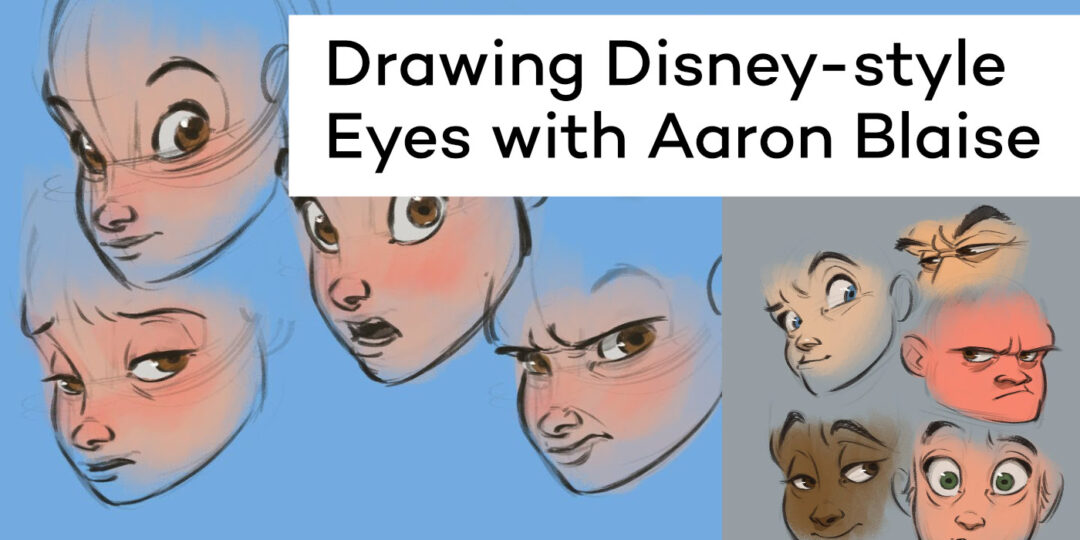
How to draw Disney-style eyes, with Aaron Blaise

How to draw Disney-style eyes, with Aaron Blaise

In this video, former Disney animator Aaron Blaise demystifies the art of drawing expressive Disney-style eyes.
No results found.
Unlock your imagination: 5 unusual character design tips from industry legend Bobby Chiu (Plus a free class!)

Unlock your imagination: 5 unusual character design tips from industry legend Bobby Chiu (Plus a free class!)

A Conversation with Disney Lighting Artist Pasquale Giardino

Simon Songhurst: A Photographer’s Take on the Wacom Movink for Photo Retouching

Shadows of the Past, Fantasies of the Future: Studio Adore’s Vision

Momentum & Masterpieces: Inside the World of Animator Justin Richburg

Math Meets Art: How 16-Year-Old Matthew Jeong is Redefining STEM Education with Wacom One 13 Touch

Webcomic Wisdom: Four Lessons Learned on the Road to ‘Beyond Arm’s Reach’

Design Kids: Empowering the Next Generation of Creatives with Wacom 

Unlock Your Inner Artist: Quick Tips to Master the Fundamentals with the Etherington Brothers – Now on Kickstarter!

Davian Chester’s “What’s Stopping You?” Comic Celebrates Black History and Inspires Representation

No results found.
[the_ad id="819655"]

You might like

Meet Joyce Liu: Bringing Ideas to Life with a Touch of Magic

Finding Flow: Ryan Kittleson and the Power of Creative Passion

Honoring a Legacy: Artist Joshua Leonard Captures the Spirit of John Lewis

Amy Innocenzi: Crafting Intricate Botanical Tattoo Designs with Wacom One 12 

Obi Arisukwu’s 5-Step Digital Painting Process on Wacom Cintiq Pro 22

Animate Like A Pro: Fabio Gioffre’s Blocking Workflow with Wacom Movink

How to create stunning 8-bit pixel art masterpieces, with Killer Rabbit Media

Venom Meets The Spider-Verse: Zach Mulligan’s Innovative Animation Experiment 

Animating Dreams: Alex Ferreira Simões’ Journey from São Paulo to the Heart of Gaming

Where Pixels And Daydreams Collide: Nick Shaheen’s Motion Capture Journey with Rokoko and Wacom

Tracks and Layers, with Scan Pro Graphics, review the Wacom Movink OLED Pen Display 

No results found.
[dmpro_masonry_gallery images=”816425,819112,816421,814148″ columns=”2″ fix_lazy=”on” _builder_version=”4.27.4″ _module_preset=”default” border_color_all_grid_item=”RGBA(255,255,255,0)” global_colors_info=”{}”][/dmpro_masonry_gallery]

Find the Perfect Wacom Tablet for Your Creativity

Not sure which Wacom tablet is right for you? Our expert guide breaks down the best options for artists, designers, and beginners alike. Whether you are sketching, editing, or illustrating, we will help you find the perfect creative companion. Explore key features, compare models, and choose the best tablet for your workflow. Start creating with confidence and find the right Wacom tablet for your needs today.

Wacom Movink pen display

Wacom's lightest and thinnest pen display ever

Enjoy the freedom of working wherever you feel creatively inspired with Wacom Movink OLED pen display, our lightest and thinnest pen display yet. As thin as 4mm* and weighing just 420g, Wacom Movink pen display is 55% lighter than Wacom One 13 touch and 66% thinner. Connect it to your Mac or PC, and you'll have all the processing power you need for your professional work.

*4mm is measured at the thinnest part.

Buy now >

Follow Wacom on YouTube

Wacom’s YouTube channel is your home for all of Wacom’s video content – tutorials, interviews, process videos, new product releases, product guides, technical support, and more, including recordings of live webinars and events like our annual Connected Ink event.

Check out this enlightening interview with Nobu Ide, Wacom's CEO, at the recent Dokomi 2024 event!

Connect with Wacom on social media

[instagram-feed feed=3]