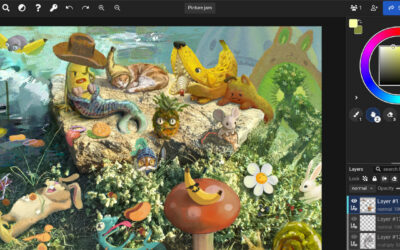
This holiday season, Wacom is inviting teachers and students everywhere to celebrate creativity and connection through a special theme — “Spark Someone’s Story.” Inspired by Wacom’s community event happening over the next month on Instagram, this digital art lesson series encourages classrooms to imagine, illustrate, and bring to life the beginnings of brand-new stories — starting with just one intriguing first line.
Each week on Wacom’s social media and on this blog, we’re sharing beautifully designed “first lines” of imaginary tales — and inviting artists everywhere to continue or illustrate them. The classroom version of this project builds on that same idea, transforming it into a hands-on, creative way to explore digital art skills, storytelling, and design.
Want to utilize this lesson in your classroom? Click here to download the entire lesson plan series!
The Power of a Single Line
A single sentence can ignite an entire world. Phrases like “The snow didn’t fall from the sky that morning — it shimmered up from the ground,” instantly spark curiosity and imagination. In this classroom series, each lesson begins with a “first line” prompt that encourages students to visualize that moment — to consider atmosphere, tone, and mood before creating a digital illustration that tells the story without words.
Teachers can use one prompt as a short creative challenge or combine all four lessons to build a winter storytelling portfolio. Each lesson focuses on a key digital art technique — such as creating glowing effects, manipulating light and shadow, showing motion, or using symmetry to explore reflection and time. Students practice essential digital painting skills while developing a unique story inspired by each line.
For example:
- Lesson 1: Teaches glowing effects with blending modes and brush opacity as students illustrate magical snow shimmering upward.
- Lesson 2: Explores lighting and contrast as students highlight a mysterious package on a doorstep.
- Lesson 3: Introduces motion blur and glow to capture the moment an ornament bursts into light.
- Lesson 4: Uses symmetry and filters to symbolize time pausing at midnight.
Each piece stands on its own, but together they form a cohesive visual narrative — a complete story told through four imaginative scenes.
Want to utilize this lesson in your classroom? Click here to download the entire lesson plan series!
Adaptable for Any Age or Skill Level
What makes these lessons so versatile is that they can be easily scaled for different ages and classroom settings.
- Elementary students might focus on sketching simple shapes, playing with color and light, and experimenting with a “glow” brush to make snow or stars shine.
- Middle schoolers can begin layering images, exploring opacity, and learning how lighting affects composition.
- High school students can refine advanced blending techniques, use filters and textures, and develop thematic consistency across multiple pieces.
Teachers can adjust the complexity of each lesson to fit the digital tools available — from drawing tablets and Photoshop to free web-based platforms like Paint Sumo or Kleki.

Beyond the Art Room
While this lesson series is rooted in digital art, it’s also a powerful tool for cross-curricular connections. The storytelling element makes it easy to adapt into:
- Language Arts: Students can write short stories or poems inspired by their digital illustrations. Each artwork becomes a visual “cover” for their written piece.
- Creative Writing: Use the prompts as warm-ups to spark narrative thinking — what happens next? Who’s there? What’s the mood?
- Media Arts or Graphic Design: Have students experiment with text placement, title design, or layout for a digital storybook or social media post.
- STEM and Technology Courses: Explore how light, color blending, and symmetry work from a technical standpoint — connecting artistic creation to digital imaging concepts.
Want to utilize this lesson in your classroom? Click here to download the entire lesson plan series!
Bringing It All Together
When combined, these lessons create a larger, unified end project — a personal “Winter Stories” digital art collection. Students can curate their four pieces into a slideshow, virtual gallery, or printed zine, adding short written reflections or artist statements that explain how their story evolved.
Alternatively, teachers can assign just one or two prompts as a quick creative challenge to re-energize students before the winter break. Either way, the activity offers an exciting opportunity to merge imagination, technology, and artmaking in a way that feels fresh, festive, and meaningful.

Join the Creative Celebration
To make the experience even more engaging, encourage your students (and yourself!) to follow along with Wacom’s “Spark Someone’s Story” event on Instagram. Each week, you’ll find new first-line prompts designed to inspire your creativity — and you’re invited to share your interpretations, illustrations, or stories with the Wacom community.
Whether in your classroom or online, these prompts remind us that every story — and every artwork — begins with a spark. This winter, let’s use digital art to share that spark, inspire others, and celebrate the power of imagination together.
Want to utilize this lesson in your classroom? Click here to download the entire lesson plan series!